Accepting EBT can be a smart move for retailers—customers rely on it, baskets can be predictable, and it strengthens your store’s reputation for accessibility.
Yet when store owners start asking about EBT card processing fees, the answers often feel vague, inconsistent, or full of “it depends.” That’s not because you’re missing something obvious.
It’s because EBT pricing is shaped by a mix of program rules, equipment choices, and provider contracts that don’t always look like standard credit/debit pricing.
With credit and debit, you typically see interchange, assessments, and processor markup. With EBT, you’re dealing with a benefits program transaction flow that requires PIN entry, specific routing, eligible item rules, and retailer authorization.
Some parts of the ecosystem are standardized, but the costs you experience day to day often come from your setup (terminal vs integrated POS), your provider (processor vs third-party provider), and the services wrapped around EBT (support, equipment, connectivity, training, compliance help, and reporting).
This guide will help you understand what EBT processing fees really mean in practice, what costs are common, what costs can sneak in as “extras,” and how to estimate the true cost to accept EBT payments over time.
You’ll also get checklists you can use to compare quotes, spot red flags, and reduce operating friction—without cutting corners that create downtime or cashier errors.
How EBT Processing Works and Why Fees Look Different
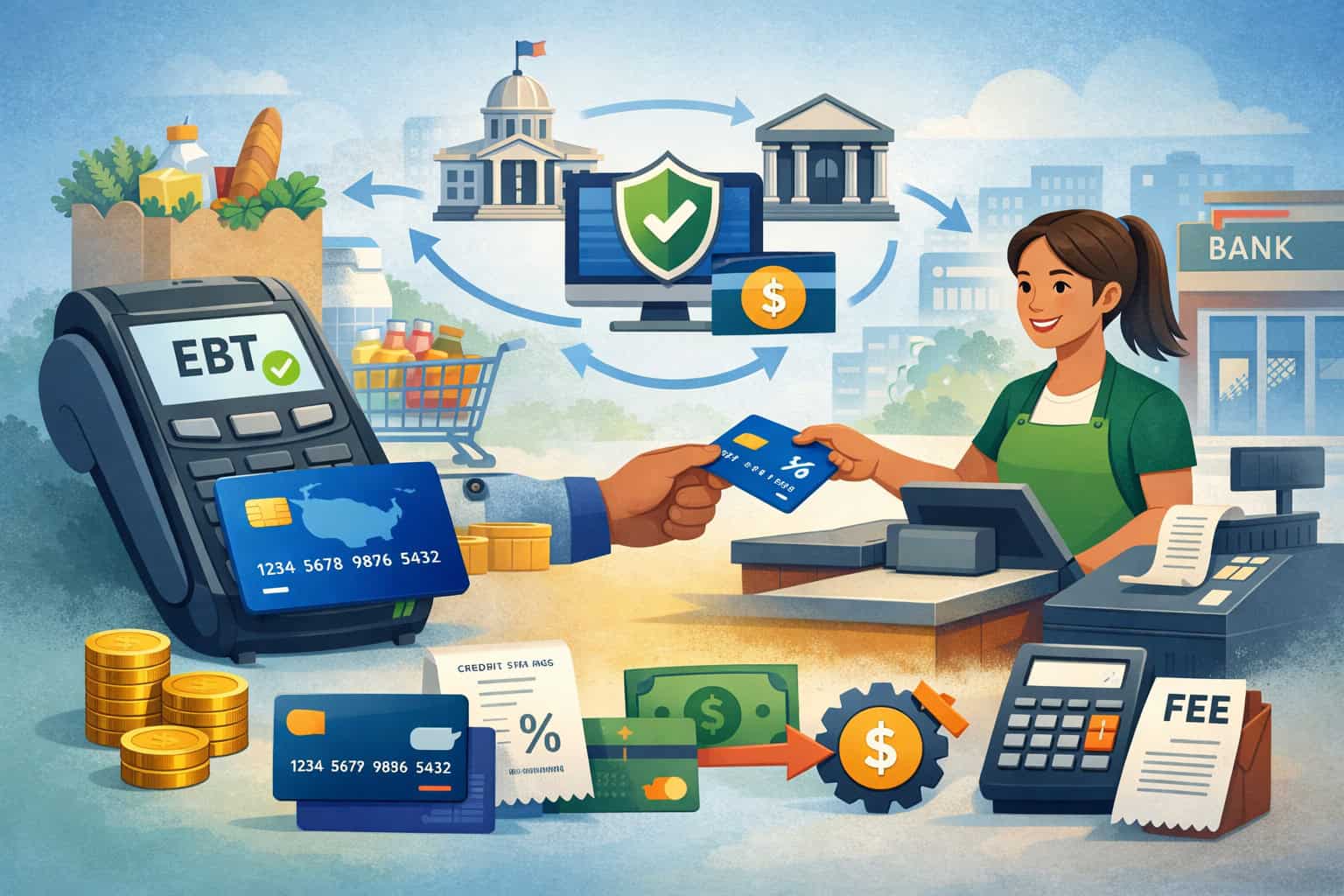
EBT transactions are typically PIN-based and routed through program networks designed for benefits eligibility rather than open-loop banking rails. That difference alone shapes both the checkout experience and the cost structure you’ll encounter.
At a high level, an EBT purchase includes three core steps: authorization, settlement, and funding. During authorization, the customer enters a PIN on an EBT terminal or PIN pad, and the transaction is checked for account availability and eligibility rules.
After authorization, settlement batches the approved transactions so they can be funded to your account. Funding and reporting then show up in your deposits and reconciliation workflow, often on a different cadence or format than credit/debit.
Fee structures vary because the “EBT transaction” isn’t always priced as a per-swipe event the way a card sale is. Many providers bundle EBT support into a broader merchant services plan, while others break out line items like terminal rental, help desk access, or POS integration fees.
Your setup also matters: a standalone EBT terminal may be quick to deploy but can introduce extra steps for split tender and refunds, while an integrated POS can reduce cashier friction but may add software and integration costs.
Retailer Authorization, FNS Numbers, and the Costs That Start Before You Swipe
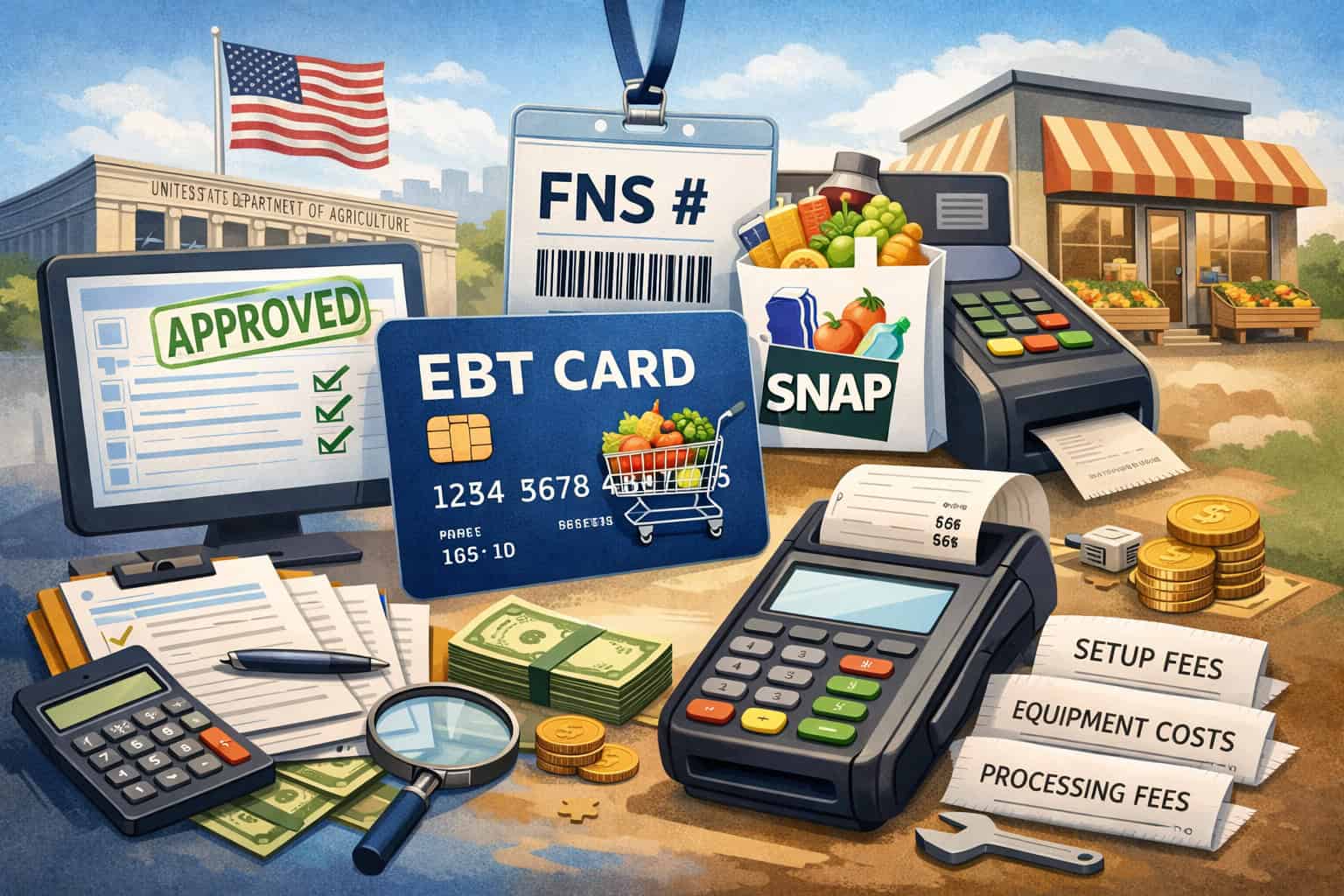
Before you can accept SNAP EBT, you typically need to complete EBT retailer authorization and receive an FNS number. This authorization step matters because it determines eligibility to accept benefits and often impacts which providers you can use and how your store must configure items at the register.
Retailers are often surprised that authorization is a separate track from selecting a payment processor. Even if your payment processor handles credit and debit flawlessly, EBT acceptance may require additional steps like verifying store information, setting up eligible item categories, and ensuring your devices meet program requirements.
Some providers will assist with authorization paperwork and configuration, while others will leave it entirely to you.
From a fees perspective, authorization itself may not come with a direct charge from the program, but your provider might charge for services surrounding it—like assisted onboarding, item file configuration support, or training.
These “support” charges are where EBT payment processing fees start to show up before you ever run your first EBT sale. It’s also common for retailers to incur internal labor costs here: manager time, POS technician time, and cashier training hours.
Another hidden cost can come from incorrect setup. If eligible items aren’t configured properly, you may see higher voids, more manual overrides, longer lines, and customer frustration—costs that don’t show as a fee line item but absolutely impact your operation.
What’s Typically Free vs. What Retailers May Pay For
One of the biggest sources of confusion around EBT card processing fees is that retailers hear “EBT is free” in one conversation and “EBT has fees” in another. Both statements can be true depending on what the speaker means by “fees” and what services are included in the arrangement.
In many setups, retailers may not pay a traditional “interchange-like” fee structure for EBT in the way they do for credit and debit. But that doesn’t mean there’s no cost. The expenses often shift from per-transaction pricing to equipment, services, connectivity, and support.
Here are areas that are often low-cost or no-cost depending on the program rules and provider approach:
- Basic ability to run EBT transactions on approved equipment
- Standard settlement and funding flow
- Access to basic reporting (sometimes minimal)
Here are areas where retailers commonly pay:
- Equipment cost (purchase or rental of an EBT terminal or PIN pad)
- Monthly service fee for gateway access, support, or account maintenance
- POS software modules or integration add-ons for EBT
- Installation and training assistance
- Replacement devices, device shipping, or extended warranties
- Help desk/support beyond basic coverage
- Connectivity/internet costs tied to dedicated lines or cellular fallback
Because policies can vary by program administration, equipment type, and provider contract, it’s essential to avoid assumptions. A quote that looks “free” may simply be bundling EBT costs into another line item. Another quote may itemize everything, making it appear more expensive even if the total is similar.
One-Time Costs: Setup, Installation, Training, and Equipment Purchase

Even when ongoing EBT processing fees are modest, one-time costs can catch retailers off guard—especially when rolling out EBT across multiple registers or upgrading from a standalone terminal to an integrated POS.
One-time costs typically fall into two buckets: professional services and hardware acquisition. Professional services may include installation, configuration, onboarding calls, and on-site training.
Hardware acquisition could involve purchasing an EBT terminal, PIN pads for each lane, cables, mounting equipment, or network components.
Common one-time cost categories include:
- Setup or onboarding fee
- Installation fee (remote or on-site)
- POS integration fee (if integrating with an existing system)
- Training sessions for managers and cashiers
- Equipment purchase (terminal, PIN pad, cables, stands)
- Shipping and handling
- Optional: rush deployment or after-hours install support
A standalone EBT terminal rollout often has a lower technical lift—plug it in, configure connectivity, and train staff on the flow. Integrated POS setups can reduce friction for cashiers but may require software configuration, eligible item mapping, and split tender workflows that must be tested carefully.
If you’re budgeting, don’t forget internal time costs. A manager who spends eight hours coordinating setup and training has a real cost even if it doesn’t appear on an invoice. Likewise, a “free install” can still require your staff to be available, troubleshoot connectivity, and run test transactions.
Ongoing Costs: Monthly Fees, Equipment Rental, Support, and Connectivity
Ongoing costs are where most retailers feel EBT expenses month after month. Even when EBT transaction fees are low or not separately listed, ongoing costs can add up through rentals, software subscriptions, and support tiers.
The most common ongoing cost categories include:
- Terminal rental vs purchase costs
- Monthly service fee or account maintenance
- POS software fees (especially for integrated POS setups)
- Help desk/support plans
- Device warranty or replacement coverage
- Connectivity/internet costs (broadband, cellular backup, dedicated line)
- Reporting tools and reconciliation add-ons
Terminal rental can be convenient—especially if it includes replacements and support—but it may be more expensive over time than purchasing equipment.
On the other hand, purchasing outright may lower long-term cost but shifts more responsibility to you for replacements, updates, and warranty coverage. In multi-lane stores, this decision becomes more important because you’re multiplying costs across lanes.
Support is another area that varies widely. Some providers include standard support during business hours, while others charge extra for evenings, weekends, or faster response times. For stores with high EBT volume, slow support can be costly due to long lines and abandoned purchases during downtime.
Connectivity can also be underestimated. If your EBT terminal relies on a stable connection, intermittent internet can create authorization failures and cashier workarounds. Some retailers add cellular fallback or redundant internet—an additional cost, but often a strong investment in uptime.
Per-Transaction Costs: When They Apply and What Can Trigger Them
Retailers often assume EBT is either “no per-transaction fee” or “a small flat fee.” In reality, EBT transaction fees can appear in a few different ways depending on your provider’s pricing model and your setup.
Some providers price EBT as part of a broader package with no separate per-transaction line item. Others apply a small per-transaction charge, especially when EBT is routed through a third-party provider or when the merchant account includes add-on transaction handling.
Occasionally, per-transaction costs can show up indirectly as “network access,” “gateway usage,” or “transaction handling” fees.
Triggers that may increase per-transaction costs or create extra charges include:
- Running EBT through a gateway add-on rather than native support
- Using standalone terminals with higher support overhead
- High reversal/void rates due to cashier errors
- Manual entry or non-standard workflows (where supported)
- After-hours support calls tied to transaction troubleshooting
- Added features like enhanced reporting or batch reconciliation tools
Even if per-transaction fees exist, they may not be the main cost driver. For many retailers, the larger concern is operational efficiency: speed at checkout, split tender flow, refunds, and downtime procedures. Those factors influence labor and customer experience—costs that are often bigger than a few cents per transaction.
Compliance, Audits, Eligible Item Setup, and Other Operational Cost Drivers
EBT acceptance comes with operational responsibilities that can create compliance-related costs. These aren’t always direct fees, but they often translate into paid support, device upgrades, or staff time—especially when something goes wrong.
Compliance can touch several areas: maintaining proper transaction records, handling refunds/voids correctly, ensuring eligible items are configured accurately, and being able to support audits or reporting requests. Many retailers also need downtime procedures so they can respond calmly when connectivity fails or the EBT terminal is offline.
Common compliance and operational cost drivers include:
- Reporting support and documentation retrieval
- Audit support services (provider assistance gathering logs and data)
- Device replacements or updates if equipment becomes non-compliant
- POS configuration work to ensure eligible items setup is correct
- Training refreshers for staff to reduce errors and disputes
- Reconciliation processes to match EBT settlement and funding
Eligible items setup is one of the biggest practical issues. If your POS isn’t configured properly, customers may be incorrectly prompted for split tender, or eligible items may decline even when they should be approved.
Fixing this can require POS vendor time, provider support time, and repeated testing—real costs that don’t look like “fees” but still impact your budget.
Refunds and voids are another area that can create hidden costs. If your store frequently processes EBT refunds, you need a clear procedure and a system that supports it cleanly. Confusion here can lead to longer customer service time and reconciliation headaches.
Setup Comparison: Standalone EBT Terminal vs Integrated POS
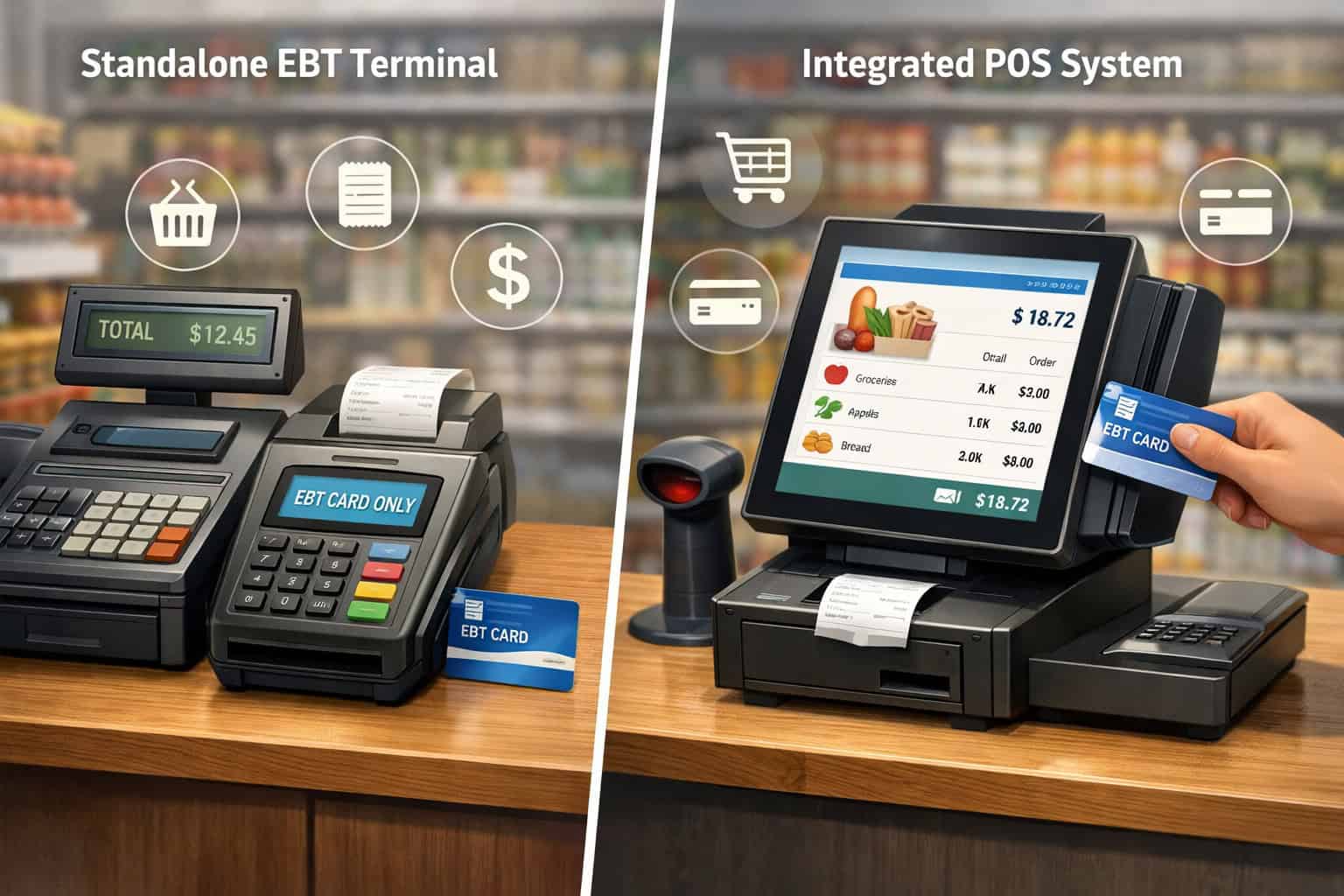
Your choice between a standalone EBT terminal and an integrated POS has a major impact on both cost and operational flow. This is one of the most important decisions you’ll make when evaluating EBT payment processing fees because it affects equipment, training, cashier speed, and reconciliation.
A standalone EBT terminal is often quicker to deploy and may work well for small stores with limited lanes. It can be a good option if you want a simple, separate device for EBT PIN entry without modifying your POS system.
However, it can create an extra step at checkout and may complicate split tender if your process requires multiple actions across systems.
An integrated POS connects EBT acceptance directly into the register workflow. This can speed up checkout, improve accuracy for eligible items setup, and simplify split tender. But it may require POS software modules, integration fees, and more detailed testing.
In multi-lane environments, integrated setups often scale better because they standardize processes across lanes, but they can also raise initial costs.
Use this comparison as a practical lens:
- Standalone EBT terminal
- Lower upfront integration effort
- Separate device and workflow
- Potentially more cashier steps for split tender
- May simplify deployment for a single lane
- Integrated POS
- Smoother cashier workflow
- Better eligible item automation
- Potential software and integration costs
- Often better for multi-lane scaling and reporting
Store Size and Lane Count: Single-Lane vs Multi-Lane Cost Differences
Lane count changes everything. A solution that’s cost-effective for a single register can become expensive—or operationally chaotic—when expanded to multiple lanes. If you’re evaluating the cost to accept EBT payments, you need to think in per-lane terms, not just “store-wide.”
In a single-lane store, a standalone terminal may be perfectly workable. Cashiers can learn the flow quickly, and reconciliation can be manageable.
Your equipment cost is contained, and your training footprint is small. But as you add lanes, each additional register may require its own EBT terminal or PIN pad, plus support coverage and connectivity stability for each lane.
Multi-lane stores often benefit from integrated POS because it standardizes cashier procedures, improves eligible item handling, and reduces manual steps for split tender. However, integrated setups may introduce recurring software fees per lane or require additional hardware for PIN entry at each register.
When comparing providers, ask how pricing scales:
- Is there a monthly service fee per store or per lane?
- Are support plans priced per device or per location?
- Does the POS charge extra per lane for EBT modules?
- Will you need dedicated connectivity for each device?
Also consider your peak traffic. In high-volume stores, downtime procedures and support response time matter more. A small monthly fee for better support may save far more in lost sales and labor costs during a disruption.
Adding Online EBT vs In-Store Only: What Changes and Why It Can Cost More
If online EBT acceptance is available for your business model, it can expand access for customers and open up additional revenue streams. But it often changes your cost structure because it introduces new technical requirements, operational procedures, and support needs.
In-store EBT flows are generally anchored around an EBT terminal or integrated PIN pad with a standard checkout experience.
Online EBT introduces additional complexities: cart eligibility rules, eligible items set up in your product catalog, split tender in an online environment, fraud and identity verification considerations, and customer service workflows for substitutions or out-of-stock items.
Cost categories that often become more significant with online EBT include:
- Integration fees with your ecommerce platform or ordering system
- Ongoing platform fees or provider fees
- Enhanced reporting and reconciliation tools
- Additional support requirements (both technical and customer service)
- More detailed compliance processes and documentation needs
Online also introduces operational costs that aren’t obvious at first—like staff time for catalog mapping, testing eligible items, managing refunds, and resolving customer issues. If your online environment isn’t configured properly, you can see increased cart abandonment or customer frustration.
In-store only might remain the best option if your store is still optimizing basic EBT operations or if your current POS and catalog management tools aren’t ready for the added complexity.
Step-by-Step: Estimating the True Cost to Accept EBT Payments
To understand your real EBT card processing fees, you need to estimate total cost of ownership—not just one line item on a quote. The most useful approach is to build a cost model for 12 months and 36 months, incorporating both vendor charges and internal operational costs.
Start by gathering your store facts:
- Number of lanes (now and planned within 36 months)
- Expected EBT transaction volume per month
- Peak hours and staffing levels
- Existing POS type and whether it supports integrated EBT
- Current connectivity reliability and backup needs
- Training needs for new hires and turnover rate
- Support expectations (business hours vs extended)
Next, list the hardware and software you need:
- EBT terminal or PIN pad count
- Integrated POS modules (if applicable)
- Terminal rental vs purchase decision
- Any installation, configuration, or training services
- Reporting and reconciliation tools you expect to use
Then ask providers for an itemized quote. If a provider won’t itemize, it’s very hard to compare offers fairly. Your quote should separate:
- One-time costs
- Monthly recurring costs
- Per-transaction costs (if any)
- Optional add-ons and support tiers
- Replacement or warranty policies
- Contract terms and cancellation details
Finally, calculate 12-month and 36-month total cost of ownership:
- Add one-time costs upfront
- Multiply monthly costs by 12 and 36
- Add estimated per-transaction costs using your volume assumptions
- Include internal labor estimates for training, reconciliation, and troubleshooting
Getting an Itemized Quote That Actually Helps You Compare Providers
Many retailers receive EBT quotes that are impossible to evaluate because costs are bundled, vague, or buried in unrelated service lines. An itemized quote isn’t about being difficult—it’s about controlling cost and avoiding “mystery fees” later.
Ask for a quote that explicitly lists each of the following:
- Equipment cost (purchase price or rental fee per device)
- Monthly service fee and what it includes
- Support details (hours, response targets, escalation path)
- Software fees (POS modules, gateway fees, reporting)
- Installation fee and training fee
- Connectivity requirements and any provider-supplied options
- Replacement policies and costs (shipping, warranty coverage)
- Contract terms, renewal terms, and early termination charges
Also ask for examples of how EBT charges show up on the monthly statement. If a provider can’t explain it clearly, your team will struggle with statement review and reconciliation later.
Finally, make sure the quote reflects your real environment. A quote based on one lane will look great until you expand. A quote that assumes “existing compatible equipment” can fall apart when you learn your current EBT terminal is outdated or unsupported.
Checklist: Questions to Ask Providers Before You Sign
Use this checklist during provider calls. It’s designed to uncover the real drivers of EBT payment processing fees and clarify operational support.
- Are there any EBT processing fees charged per transaction? If yes, how are they calculated?
- What monthly service fee applies specifically to EBT, and what does it include?
- Is support EBT-specific, and do you support my POS and EBT terminal model?
- What are support hours, and is after-hours support available at an extra cost?
- What equipment is required per lane, and what are the rental vs purchase options?
- Are there installation fee or training fees? Are they optional?
- How do refunds/voids work for EBT in this setup? Any limitations?
- How does split tender work at the register, and how many steps does it take?
- What reporting and reconciliation tools are included? What costs extra?
- What is your downtime procedure recommendation, and what tools support it?
- What contract terms apply: length, renewal, and cancellation fees?
- Can you provide sample statements showing EBT line items?
Checklist: EBT Fee Quote Comparison
When you’re comparing providers, use a consistent framework so you’re not misled by a low monthly number that hides extra costs. This checklist helps you compare “apples to apples” across quotes.
- One-time setup and installation total: ______
- Equipment cost per lane (purchase): ______
- Equipment rental per lane (monthly): ______
- Monthly service fee (store-level): ______
- Monthly service fee (per lane/device): ______
- POS software fees related to EBT: ______
- Support plan cost and hours included: ______
- Replacement/warranty cost assumptions: ______
- Connectivity requirements and estimated monthly cost: ______
- Per-transaction EBT fees (if applicable): ______
- Reporting/reconciliation add-ons: ______
- Contract term length and renewal details: ______
- Early termination or cancellation fees: ______
Checklist: Hidden Fees and Red Flags to Watch For
Hidden fees often aren’t truly “hidden”—they’re just described in language that doesn’t sound like an EBT charge. This checklist helps you spot common red flags before they hit your statement.
- “Gateway fee” or “network access fee” that applies to EBT without clear explanation
- Bundled monthly fees that can’t be broken down by service
- Equipment lease terms that automatically renew without clear end-of-term options
- Replacement fees that include shipping, restocking, or handling surprises
- Extra fees for software updates, reprogramming, or “device refresh”
- Support fees triggered by call volume or certain hours
- Penalties for not meeting minimum monthly activity (where applicable)
- Contract terms that lock you in longer than your POS lifecycle
- Vague language around compliance support and audit assistance
- Unclear settlement and funding timelines that complicate cash flow planning
Checklist: Monthly Statement Review and Reconciliation Basics
A strong statement review process prevents small issues from turning into recurring costs. Even if your EBT fees are minimal, errors in settlement and reconciliation can create internal labor costs and customer service headaches.
Each month, review:
- Monthly service fee lines and whether they match your contract
- Equipment rental charges and device counts (do they match your lanes?)
- Support plan charges (any unexpected add-ons?)
- Any per-transaction charges labeled as handling, gateway, or access
- Settlement and funding totals vs POS reports
- Chargebacks/disputes (if any apply in your environment)
- Refund and void activity: volume, reasons, and patterns
- Downtime events and how they were resolved
- Notes about device replacements or maintenance
- Contract changes, rate adjustments, or “administrative” increases
Reconciliation should include matching your POS totals to deposits and confirming timing differences. If EBT funding arrives on a different schedule than other tenders, create a separate reconciliation workflow so your team doesn’t waste time chasing “missing deposits” that are simply on a different cadence.
Practical Ways to Reduce Costs Without Harming Operations
Reducing EBT card processing fees isn’t just about negotiating. It’s about designing an efficient setup that minimizes friction, errors, and downtime. The goal is lower total cost of ownership without creating a brittle system that breaks during peak hours.
Start with right-sizing equipment. If you’re paying for rentals you don’t need—like extra terminals sitting in storage—cut them.
If you have lanes that rarely run EBT, consider whether an integrated setup makes more sense than maintaining multiple standalone devices. Conversely, if your store is small and stable, purchasing equipment outright may reduce long-term cost compared to rental.
Next, reduce error-driven costs. High voids and refunds often result from confusing workflows or incomplete training. Improve your POS configuration so eligible items setup is accurate and split tender is as automated as possible. Standardize cashier scripts for the EBT flow to reduce customer confusion and speed up checkout.
Support optimization can also reduce costs. If you’re paying for a premium support plan but rarely use it, renegotiate. If you frequently need help during peak hours, the opposite may be true: paying for better support might reduce downtime and labor losses.
Cost-reduction ideas to consider:
- Compare terminal rental vs purchase over 36 months
- Bundle support where it reduces total monthly spend
- Use standardized training and refreshers to reduce errors
- Improve eligible item mapping to reduce declines and overrides
- Add reliable connectivity or backup to prevent downtime losses
- Simplify reconciliation with consistent reporting tools
30-Day Plan: Evaluate Providers Like an Operator, Not a Shopper
A strong provider evaluation process focuses on real-world performance: checkout speed, reliability, support, and total cost. This 30-day plan is designed for store owners and managers who need a practical way to choose confidently.
Days 1–7: Define your requirements
- Confirm lane count, projected growth, and peak-hour needs
- Document your current POS environment and compatibility needs
- Identify pain points: split tender confusion, refunds, downtime issues
- Set expectations for support response and escalation
Days 8–14: Request and compare itemized quotes
- Collect quotes from multiple providers
- Use the EBT fee quote comparison checklist
- Ask for sample statements showing EBT line items
- Clarify contract terms, renewal, and cancellation
Days 15–21: Validate workflows
- Ask for a walkthrough of checkout scenarios
- Confirm split tender, refunds/voids, and downtime procedures
- Ensure reporting supports your reconciliation needs
- Confirm eligible items setup support
Days 22–30: Final selection and readiness planning
- Choose based on 36-month total cost of ownership
- Schedule installation and training
- Assign internal owners for POS configuration and reconciliation
- Prepare your go-live checklist and test plan
90-Day Plan: Optimize Costs and Performance After Go-Live
Once you’re alive, your job shifts from selection to optimization. The first 90 days are the best time to identify inefficiencies and fix them before they become “how we’ve always done it.”
Days 1–30: Stabilize and document
- Track declines, voids, refunds, and downtime events
- Document the exact cashier workflow for EBT and split tender
- Confirm settlement and funding timing and build reconciliation routines
- Verify eligible items setup accuracy and adjust as needed
Days 31–60: Reduce friction and labor costs
- Identify recurring cashier errors and update training
- Simplify the split tender process where possible
- Review support tickets and response times
- Adjust device placement, lane configuration, and signage for smoother flow
Days 61–90: Lower total cost of ownership
- Review statements line by line using the statement review checklist
- Negotiate unnecessary add-ons or downgrade unused support tiers
- Compare rental costs vs purchase plans if you rented initially
- Confirm you’re not paying for unused lanes or inactive devices
FAQ
Q1) What are EBT card processing fees, exactly?
Answer: EBT card processing fees refer to the costs a retailer may pay to accept EBT transactions, which can include equipment, monthly service fees, support, software, connectivity, and sometimes transaction-related charges. The total cost depends on your setup and provider contract.
Q2) Are EBT processing fees the same as credit card processing fees?
Answer: No. EBT often doesn’t follow the same interchange-style pricing structure you see with credit/debit. Costs are frequently driven by equipment, services, and operational support rather than percentage-based rate structures.
Q3) Do all retailers pay EBT transaction fees?
Answer: Not always. Some providers do not itemize per-transaction EBT charges, while others do. Even without a per-transaction fee, retailers may still pay monthly service fees, equipment rental, or POS software costs.
Q4) What is the biggest driver of the cost to accept EBT payments?
Answer: For many retailers, the biggest drivers are ongoing monthly costs—terminal rental, POS software fees, and support—plus internal labor costs from training and reconciliation. High downtime or cashier error rates can also raise total cost.
Q5) Should I rent or buy an EBT terminal?
Answer: It depends on your risk tolerance and time horizon. Rental can simplify replacements and support, but may cost more over 36 months. Purchasing can reduce long-term cost but may increase your responsibility for maintenance and replacements.
Q6) What’s the difference between a standalone EBT terminal and integrated POS for fees?
Answer: Standalone terminals may have lower integration costs but can add workflow steps and reconciliation complexity. Integrated POS may increase software and setup costs but often improves speed, eligible item handling, and multi-lane consistency.
Q7) Can I accept SNAP EBT with my existing payment processor?
Answer: Sometimes, but not always. Even if your processor supports EBT, your POS and equipment must be compatible, and you need proper retailer authorization. Always confirm device and POS compatibility in writing.
Q8) Why do my EBT fees change after I add lanes?
Answer: Because many costs scale per device or per lane: equipment rental, support coverage, and sometimes software modules. A plan priced for one lane may not remain cost-effective for five lanes.
Q9) What should I look for in my monthly statement?
Answer: Check monthly service fees, equipment rental charges, support add-ons, and any “gateway” or “access” fees that may apply to EBT. Also reconcile POS totals against deposits and track refunds/voids for patterns.
Q10) How do refunds and voids affect EBT processing fees?
Answer: Refunds and voids may not directly increase fees, but they can increase labor time and reconciliation work. High void rates can also signal training or POS setup issues that lead to higher operational costs.
Q11) What are hidden fees in EBT payment processing fees?
Answer: Common “hidden” charges include vague gateway fees, device reprogramming fees, replacement shipping costs, auto-renewing equipment leases, and paid support tiers that weren’t clearly explained.
Q12) How can I lower EBT processing fees without risking downtime?
Answer: Focus on total cost of ownership: right-size equipment, reduce rentals where appropriate, improve eligible items setup to reduce errors, standardize cashier training, and invest in reliable connectivity. Better operations often lowers costs more than negotiating a small fee reduction.
Conclusion
Retailers get confused about EBT card processing fees because EBT doesn’t behave like typical card acceptance. Your costs are less about a simple “rate” and more about how your store is configured: equipment choices, integrated POS vs standalone, lane count, support needs, connectivity reliability, and how well your team handles split tender, refunds/voids, and downtime procedures.
The good news is that once you treat EBT as an operational system—not just a payment method—you can control your total cost. Ask for itemized quotes, model 12-month and 36-month total cost of ownership, and prioritize a setup that reduces cashier friction and downtime. Over time, the most cost-effective EBT environment is usually the one that runs smoothly with minimal exceptions.