By Julia Koroleva March 17, 2026
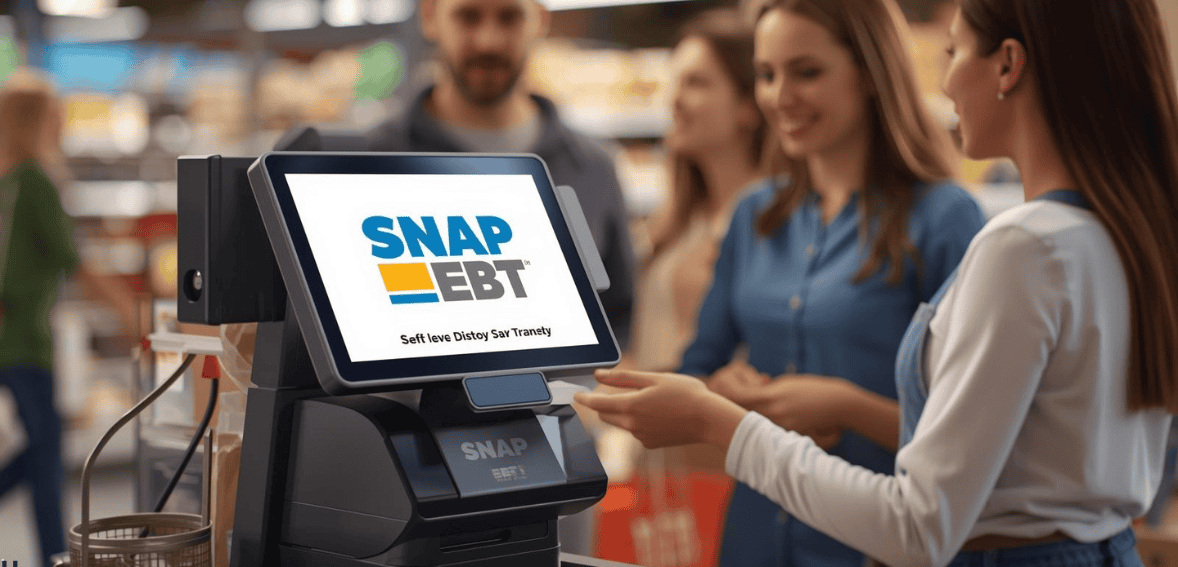
Self-checkout technology is changing the way customers shop by offering speed and convenience. Adding SNAP EBT self checkout allows customers using benefits to complete purchases independently, without a cashier.
Implementing EBT payments at self-checkout requires the right hardware, secure PIN entry, and well-designed exception handling to ensure compliance, protect cardholder data, and create a smooth, user-friendly shopping experience.
Why Retailers Should Add SNAP EBT Self Checkout

Integrating the SNAP EBT payment option into self-checkout lanes is a win-win solution that benefits both the retailers and the customers. On one hand, this payment method significantly speeds up the shopping process, making it very convenient for the customers. On the other hand, by giving customers the option to pay with EBT cards at self-checkout, stores can minimize long queues, enhance transaction efficiency, and accommodate more customers during busy hours.
Additionally, it is a great way for retailers to stay in touch with the evolving market by serving the needs of SNAP recipients who represent a substantial segment in many neighborhoods. Allowing EBT at self checkout is not just about following the USDA regulations but also about offering a safe and easy to use customer experience. More than anything else, this will lead to an increase in the level of customer satisfaction, their loyalty, and, in the end, sales figures.
Hardware Requirements for SNAP EBT Self-Checkout
To get SNAP EBT acceptance at self-checkout lanes, retailers have to get the right mix of hardware and store system integration. Since EBT transactions have a secure PIN requirement and are authorized in real time, the kiosk equipment must be up to payment security standards and, on the other hand, be compatible with the store’s POS system. Once all parts are linked properly, checkout is easy for the customers and legal for the retailers.
EMV-Compatible Payment Terminal
A self-checkout lane should include a payment terminal that allows handling EBT transactions and secure PIN entry. The terminal is the place where customers insert or swipe their EBT card and carry out the payment.
The payment terminals of today employ encryption to safeguard the card data during the transaction. They should also comply with the current payment security standards so that sensitive information, including PIN data, is kept secure while the transaction is being processed.
Secure PIN Pad for Customer Entry
As SNAP EBT transactions necessitate a PIN, the checkout station has to be equipped with a certified PIN entry device. Buyers type their PIN straight on the pad, and the gadget encrypts the data instantly before transmitting it via the payment network.
In this way, the PIN stays protected because it can’t be seen, saved, or accessed by the kiosk system. Moreover, the EBT PIN pad self checkout should be placed in a manner that lets the clients input their code easily without compromising privacy.
Barcode Scanner Connected to the POS
The barcode scanner is very necessary in finding SNAP-eligible food items. When a product is scanned, the point of sale (POS) system takes it and checks the item against the store’s product listing.
Products that can be used with SNAP are then put into the EBT part of the purchase, and those that cannot be used with SNAP are divided automatically. This assists the system in making arrangements for split payments, i.e., when customers buy both eligible and non-eligible items.
Self-Checkout Kiosk Interface
The software controlling the self- checkout kiosk needs to be extremely effective in leading customers step by step through the EBT payment procedure. The instructions for scanning items, choosing EBT as a payment method, card insertion, and PIN entry should all be shown on the screen.
A minimalistic and straightforward design of the interface would help in minimizing the confusion, and therefore, customers will be able to finish their payment on their own without the assistance of the store employees.
Stable Network Connection
SNAP EBT transactions require that the payment be authorized in real time via the payment network. So, the checkout system has to be connected to the internet or have a network connection at the time of payment.
If the connection is slow or unstable, the transaction may even fail or take a long time to process. Keeping connectivity stable is one of the ways to make sure that payments are approved fast and the checkout experience is not interrupted.
EBT Data Security and Receipt Restrictions
Retailers have to adhere to specific regulations while dealing with SNAP EBT card data. For example, they are prohibited from collecting, storing, logging, or tracking EBT card numbers, whether fully or partially.
Store receipts should not show the customer’s name or the full primary account number (PAN) of the EBT card. Such limitations serve to safeguard customer information and reduce the risks of unauthorized use of sensitive card data.
POS System Capabilities and Compliance
Retailers have the responsibility of verifying if their POS systems are set up correctly to accept SNAP EBT transactions. It is very important that the system at least handles the basic functions of refunds, keys, entered transactions, balance checking, and the ability to void the last transaction.
Making sure that these features exist in the system is a great way to make it easier for the stores to cope with the frequently encountered payment issues, as well as keep the transactions following the program regulations.
SNAP EBT Receipt Requirements
To comply with the USDA regulations, when a customer uses SNAP EBT to pay at self-checkout, the receipt issued must contain certain key information. It shall prominently feature the store name, store address, date of transaction, payment method, and the total purchase amount. Also, it must indicate the customer’s remaining SNAP balance or if there were insufficient funds, depending on your state’s requirements.
To protect customers’ privacy and security, only a masked version of the EBT card number should be shown on the receipt. The full card number and customer name should never be revealed. Compliance with these rules will safeguard sensitive account information, but at the same time, transactional transparency and compliance will not be compromised.
Handling Mixed Purchases with Split Payment

On certain occasions, shoppers select both SNAP-eligible and non-eligible items during one shopping trip. The automated self-checkout system should be able to deal with this release automatically. After scanning all the products, the POS system divides the products into two categories.
SNAP-eligible foods are paid via the customer’s EBT account, whereas non-eligible items require another form of payment, such as cash, debit, or credit. Splitting the payment this way helps purchasers complete their purchase with a single transaction, at the same time ensuring that the use of SNAP benefits is restricted only to approved items.
Exception Handling at SNAP EBT Self-Checkout Lanes
Your checkout will rarely be 100% smooth, even for the best self-checkout system design. Sometimes you will have to correct a transaction or add some information.
Retailers that accept SNAP EBT have to design a clear exception handling process that leads customers to complete the transactions smoothly while maintaining the privacy of the cardholder data. Such processes should enable balance inquiries, refunds, and corrections of transactions, without releasing confidential card information.
EBT Balance Inquiry
Customers usually want to know their remaining balance on their SNAP account before making a purchase. Self-checkout systems must allow consumers to check their balance right at the payment terminal.
Besides, retailers should not charge a customer for doing a balance check, and the system should only show the available balance without displaying full card details.
Handling SNAP Refund Process Safely
If a customer decides to return the food eligible for purchase with SNAP benefits, the refund has to go back to their SNAP EBT account. The point of sales system should handle the return by using the EBT refund function so the money is put back straight onto the card.
Retailers must never give refunds in cash, store credit, or other payment methods for SNAP purchases. In most cases, to finish the refund, the system might ask for the manager’s approval to avoid mistakes or fraud. The refund process has to guarantee that the card details are neither shown nor saved outside the secure payment area.
Correcting Void SNAP Transaction
Sometimes errors may occur at checkout, like the wrong purchase amount being entered. Generally, in such cases, most POS systems permit the cancellation of the transaction right after it has been approved. A void is a way to cancel a transaction that has not yet been included in the final settlement.
The void operation must be done on the same POS terminal that initially handled the payment. Once the void is done successfully, the transaction can be rewritten with the correct amount. Nonetheless, if a different transaction is carried out subsequently, it is likely that the first transaction cannot be voided but will have to be rectified by a refund.
Item Removal
In case a client deletes a product from the basket at checkout, the software has to re-determine the part of the purchase that qualifies for SNAP.
This is necessary to make sure the accurate amount is debited from the EBT account.
Personnel Aid Calls
Even though the main aim is to have a shopping experience without cashiers.
Self-checkout machines must be designed in such a way that staff can step in if a consumer needs help due to a problem, e.g., a wrong item scan, or a payment mistake.
Protecting Cardholder Data During Exceptions
While checking balances, issuing refunds, and voiding transactions, the system needs to abide by the same security regulations as those implemented for ordinary transactions. Displaying the entire EBT card number on the monitor or receipt is absolutely prohibited. The PIN information must be encrypted continuously in the payment terminal.
A self-service checkout application is allowed to show only the least amount of data necessary for the action, e.g., transaction status, or balance confirmation.
Keeping card processing inside the secure payment terminal environment at all times, retailers are not only able to handle transaction problems but also stay compliant with the SNAP program and protect customer data.
Compliance and Security Considerations

By allowing their customers to pay grocery bills with SNAP EBT through self-checkout, retailers have to comply with a set of strict security and regulatory rules. These rules aim to keep customer data safe and verify proper use of SNAP benefits.
To ensure the safety of SNAP transaction data, stores have to implement solutions responsibly in line with SNAP program policies. Considering product offerings and the nature of the business, retailers may choose different certification options that are best suited to their needs.
Certified payment terminals containing approved software and EBT-compatible hardware should be used for conducting transactions. Furthermore, mechanisms such as end- to-end encryption should be in place to prevent PINs and card details from being exposed to either the system or personnel.
Stores really have to keep their product database accurate so that the POS system can rightly figure out which items qualify for SNAP benefits. Constantly updating this database is a way to make sure that only eligible products are purchased with SNAP funds.
Lastly, it’s a good practice for retailers to test the self-checkout system on a regular basis. Testing is a great way to make sure that payments, split transactions, receipts, and security are all functioning well. That is a great compliance measure that can lead to the protection of customers, preventing benefit misuse, and reducing the risk of payment data exposure.
Conclusion
Combining SNAP EBT with POS self-checkout enhances the shopping experience as well as store operations. Equipped with the right technology, a secure method for entering PIN, and good handling of exceptions, vendors will be able to process payment in a few seconds without jeopardizing the customer’s security. Sticking to security and compliance rules not only safeguards the benefits but also makes the entire checkout experience a distraction-free one.
FAQs
What is EBT compliance retail?
EBT compliance in retail is the adherence of stores to USDA regulations. It helps safeguard the benefits of customers and securely processes SNAP transactions both at POS and self-checkout
How do we handle a mixed cart (eligible + ineligible) at SCO?
EBT at SCO lets customers pay for eligible products using SNAP benefits at self-checkout with split tender payments, eliminating the need for a cashier, through a secure process.
What hardware is required for SNAP EBT at self-checkout?
POS self checkout EBT systems that have been certified, secure PIN entry devices, scanners for barcodes, and reliable network connections are some of the essentials for processing SNAP EBT transactions.
Can SNAP pay for non-food items at self-checkout?
POS systems identify different categories of food and non-food items, allowing the customer to be charged for food with SNAP, while other payment methods can be used for non-food items in a single transaction.
Can retailers refund SNAP EBT transactions at self-checkout?
The answer is yes. Retailers can do a refund for SNAP EBT transactions by crediting the customer’s SNAP account. Cash refunds are not allowed for EBT purchases.
What must print on a SNAP EBT receipt?
Besides the store name and address, receipts should also indicate the date, transaction type, amount of remaining balance, and only the last four digits of the card number.
Can a manager void or refund a SNAP transaction at SCO?
Yes, managers are able to authorize the voiding or refunding on the POS and the money will be put back into the customer’s SNAP account.