
By Julia Koroleva March 26, 2026
Handling refunds, voids, and returns for SNAP EBT transactions requires careful attention to detail. Proper processing protects your store, ensures compliance with USDA rules, and keeps customers confident in their purchases. Knowing how to correctly process a SNAP EBT refund, manage voids, and maintain accurate records is essential for smooth operations. With the right workflows in place, every transaction can be completed efficiently, securely, so you can stay ready for audits if needed.
Benefits of Accepting SNAP EBT Payments for Retailers
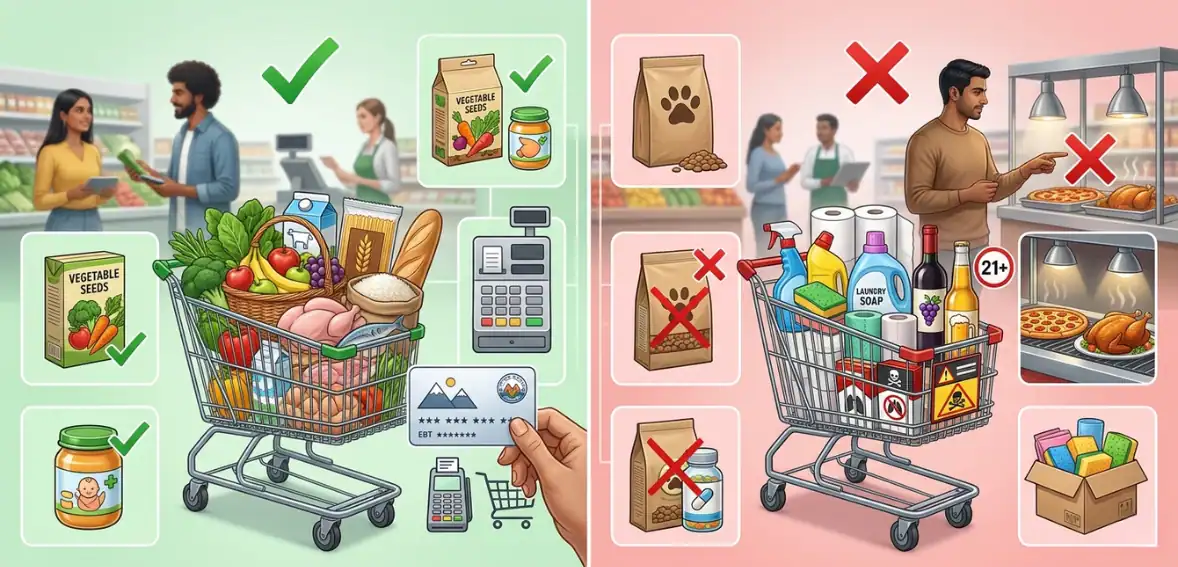
Accepting SNAP EBT payments not only gives a big boost to your business revenue but it also assists the local people.
Firstly, letting people use their EBT benefits is an effective way to grow the customer base. One can attract those customers who probably wouldn’t visit the store otherwise.
Secondly, being a part of the SNAP program can also help to boost a store’s image by demonstrating its dedication to assisting families and individuals who depend on these benefits.
Apart from this aspect, accepting SNAP can be a great way to increase customers’ loyalty, since those who use the assistance program tend to prioritize stores where their benefits can be easily utilized.
If properly aligned with POS changes, good employee training, and a better well-documented set of procedures for compliance, retailers will be able to effectively handle different types of transactions, including refunds and voids, and keep records that are ready for an audit.
Handling SNAP EBT Refund, Voids & Receipt Requirements
Handling SNAP Refunds
According to EBT return policy, when a customer returns food that has been purchased with SNAP benefits, the return SNAP purchase amount must always be credited back to their SNAP EBT account, retailers should make sure the refund is never returned as cash or other methods. Your POS system facilitates this operation by processing the refund electronically.
Sometimes, the POS may request a manager’s intervention in order to perform the transaction, particularly if the amount is large. Adhering to these instructions guarantees that the refund is processed correctly and the store remains compliant with SNAP regulations. Always consult your EBT retailer manual for further instructions.
Handling SNAP POS Voids
After a customer types an incorrect amount for a SNAP purchase on a POS device, a lot of systems give you the option to void SNAP transaction immediately.
A void has to be done on the same POS device before the transaction is finalized. Upon its approval, you may put in the right amount for a SNAP purchase and finish the transaction successfully. If a wrong SNAP transaction is already finished and, following it, another sale is made, you cannot void the first one. In such a case, you will have to make a refund to the consumers’ SNAP EBT account.
SNAP EBT Receipt Requirements

Retailers have to ensure that customers receive a clear EBT receipt following each transaction. The receipt should include:
- The name and location of the store
- The date of purchase
- Purchase amount and type
- Remaining SNAP EBT balance (if the state requires it)
- Customers’ hidden EBT card number
Apart from this, retailers should not, under any circumstances, collect or store full card numbers, names of customers, or sensitive account details. Retailers are also accountable for properly configuring their POS systems to deal with SNAP transactions, including sales, checking balances, refunding, and voiding. Proper configuration will assist in making transactions accurate, secure, and compliant with SNAP regulations.
Managing Exception Handling for SNAP EBT Payments
1. Identify the Issue Quickly
In case of exceptions, first of all, you need to know about the root of the problem if you want to handle it effectively. The most common errors at the checkout include card declines, network interruptions, POS system glitches, or incorrect amounts entered. When the cashier spots an error, they should first halt the transaction and note it down.
2. Follow POS Instructions Carefully
Modern POS systems are equipped with transaction error handling guidance. Employees can correct the mistake or properly register the error using the on-screen prompts. Trying to shortcut the POS software or coming up with manual overrides can lead to further source of errors and compliance violations. Properly using the POS system will guarantee a smooth checkout experience for the customers and accurate recording of the transactions for the store, which will be helpful during the daily or weekly audits for reconciliation purposes.
3. Require Manager Approval When Necessary
Certain situations, such as high-value refunds, multiple failed attempts, or unusual errors, requires a manager’s approval. The manager reviews the issue, authorizes effective action, and records the approval in the POS system. This step ensures accountability and separates duties between cashiers and supervisors, reducing the risk of mistakes or misuse while maintaining compliance with USDA regulations
4. Record the Exception
Not only should every exception be recorded in a store log, but it should also be entered directly in the POS system. The log should include the date, cashier’s name, transaction details, type of error, and how it was resolved. This is one of the necessary steps for inspections, audits, and internal review. Exception logs also assist in identifying patterns of errors that may require more staff training or updates to the system.
5. Engage with the Customer
Good communication can be a lifesaver when a transaction hits an issue. Inform the customer what happened, what you are doing to fix it, and assure that their SNAP benefits are safe. Staying calm and professional will help a customer to trust you without getting confused. Customers generally feel secure when they see that the store is properly handling the matter without delay.
6. Review and Improve Procedures
Frequent analyses of exception logs are an effective way for store managers to identify patterns or improve any difficulties in POS transactions. If specific errors are found to be recurring, the business may revise the POS operation methods, raise awareness of necessary skills among its personnel, or consult with the POS provider to eliminate the system malfunction. Ongoing maintenance not only minimizes new issues but also keeps the business aligned with SNAP rules and boosts overall operational productivity.
Avoiding Common SNAP Transaction Errors: Tips for Retailers
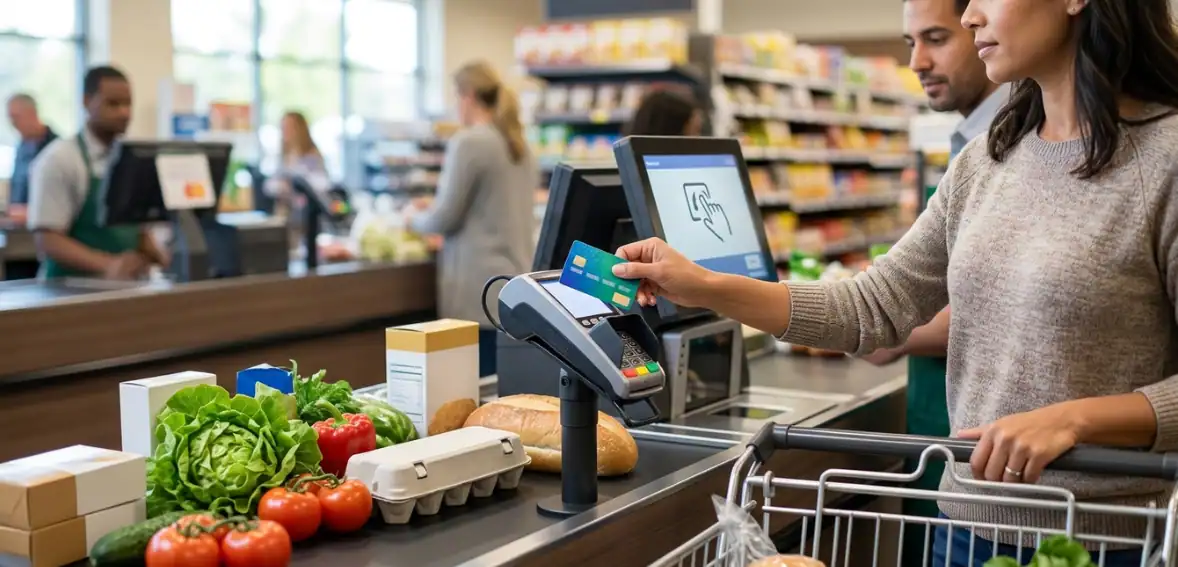
Most violations of the SNAP program result from mistakes made at the point of purchase, where employees mistakenly process transactions in the wrong way. Minor slip-ups, if repeated over time, could lead to significant compliance problems that might be detected during audits or transaction monitoring. One typical mistake is when someone uses an EBT card for the purchase of non-eligible items, in this case the cashier must make sure that an EBT card is charged only for the approved products, while other items are paid separately.
Secondly, maintaining proper transaction documentation and adhering to correct checkout procedures are critical components in preparing for an audit. Providing proper training, having continuous monitoring and verification systems in place would be the best ways to empower the team to catch the errors and prevent them from getting USDA penalties.
Thirdly, monitoring daily transactions as well as periodically reviewing the POS reports is extremely helpful to detect irregularities and prevent mistakes from becoming major compliance problems at a later stage.
Additionally, product eligibility rules can be hard to understand sometimes, especially for borderline items such as bakery goods, deli-prepared foods, or specialty groceries. Packaged foods that are meant to be cooked at home are generally eligible, whereas hot foods ready for immediate consumption are usually not permitted ( unless under special circumstances). If a store sells both kinds of products, then it is crucial for the store employees to carefully separate the items at the checkout to avoid any accidental mistakes.
Lastly, going over the inventory categories, verifying that the POS system points out the right kind of eligible items and flags the ineligible products, and internally labeling the products are some simple ways of helping the staff in making the right choices. In case of any questions, the retailers should always refer to the official SNAP program guidelines. Employees who fully understand the eligibility rules are not only self-assured but also help the store in staying compliant, which ultimately decreases the risk of getting a violation.
Compliance Checklist for SNAP EBT Retailers
| Compliance Area | Checklist Items | Details / Notes |
| Eligible Items | Verify product eligibility | Ensure only SNAP-approved food items are sold. Non-food or restricted items cannot be purchased with SNAP EBT. |
| Transaction Accuracy | Correct transaction entry | Scan or manually enter items accurately; avoid overriding prices improperly. |
| EBT vs Cash Separation | Proper payment handling | Keep EBT and cash transactions separate to prevent errors and audit issues. |
| POS System Settings | Enable SNAP/RMP controls | Ensure POS or EBT terminal correctly identifies eligible items and automatically blocks ineligible purchases. |
| Receipt Compliance | Provide required receipts | Include itemized list showing SNAP-approved items, total EBT payment, and any taxes applied. |
| Employee Training | Staff knowledgeable on rules | Train all cashiers on SNAP rules, eligible items, transaction procedures, and proper tax handling. |
| Refunds & Returns | Follow EBT rules | Only allow SNAP-approved item returns to EBT; SNAP compliance refunds must comply with regulations. |
| Tax Handling | Correctly apply or exempt tax | SNAP-approved items are generally exempt from state sales tax. Ensure POS is set up to automatically skip tax on eligible items. |
| Recordkeeping | Maintain transaction records | Keep detailed records for all SNAP EBT transactions for audit purposes, including taxes exempted. |
| Audits & Reviews | Conduct regular internal checks | Periodically review transactions and POS settings to catch errors before official audits. |
| Signage & Notices | Display required information | Show SNAP signage as required by USDA at point of sale. |
Conclusion
It is a must to ensure that your POS refund EBT transactions correctly to stay compliant, protect customer loyalty, and also have your store operate without hiccups. With the correct set of instructions for handling referrals, voids balance inquiries, and documentation, retailers can drastically minimize mistakes and get rid of violations.
Moreover, they will have safe and ready transaction records for audit at any time. Following simple steps like staff training, easy-to-follow procedures, and dependable POS systems will definitely help you in handling SNAP EBT payments without any stress.
FAQs
Can a store refund SNAP purchases in cash?
No, all SNAP refunds must be refunded electronically to the customer’s EBT account; because it is strictly regulated that no cash refunds SNAP must be allowed.
What’s the difference between void and refund for SNAP?
A void is a cancellation of the transaction before you finish it; whereas, a refund is a return of the money to the EBT account after the transaction has been completed.
How long should we keep void/refund logs?
Keep POS void and refund logs for audit purposes, usually at least three years or as per USDA requirements.
What if the customer no longer has the EBT card?
Refunds still have to be processed electronically; get in touch with the EBT processor to transfer the EBT refund to card of the customer’s new account or seek professional helpline for further steps.
Can a POS refund the EBT amount without manager approval?
Very high-value or exceptional transactions might need the approval of an EBT manager; this approval ensures that the refund is properly authorized and compliant.
What is the purpose of an EBT manager override?
A manager override for EBT can be a measure to stop making unauthorized refunds or voids, thus keeping the high-value SNAP transactions secure and ready for audit.
Why is it important to keep EBT transaction logs?
It is advisable to keep EBT transaction logs in the POS system for audit and compliance purposes.