
Accepting SNAP EBT can be a smart move for retailers—but the path to approval and ongoing compliance is easier when you treat it like an operations project, not just “one more payment type.”
A clear checklist helps you avoid the most common causes of delays: missing documents, mismatched ownership details, inventory gaps, incomplete store information, and POS setup mistakes that create compliance risk later.
This long-form guide is built for store owners, managers, and operators who want to get authorized efficiently and stay compliant once the first EBT transaction hits the register.
You’ll get practical explanations, scannable checklists, staff-ready scripts, troubleshooting steps, and two implementation plans (30-day and 90-day) you can actually follow.
Important accuracy note: EBT program rules, eligibility factors, and review practices can change over time and may vary based on program guidance.
Use this guide to prepare thoroughly, but always verify the latest USDA EBT retailer requirements and program instructions with the authorizing agency before you submit an application or change store practices.
What EBT and SNAP are, and why “EBT retailer requirements” usually means retailer authorization
EBT stands for Electronic Benefits Transfer—the payment method used to deliver certain public benefits through a card-based system. SNAP (often called SNAP EBT) is the grocery benefit program most retailers think about when they say they “want to accept EBT.”
In day-to-day retail language, “EBT retailer requirements” typically refers to the standards your store must meet to be authorized as a SNAP retailer, then remain compliant after approval.
When you’re authorized, you receive a retailer identifier often referred to as an FNS number (sometimes described as part of your retailer authorization profile). That authorization is tied to your store location, business entity details, and ownership/management information.
It’s not just a payment switch you flip on a terminal. It’s an operational commitment: you’re expected to sell eligible food categories properly, prevent misuse (like cash back), maintain accurate records, and operate in a way that matches what you told reviewers during the application.
High-level SNAP retailer requirements and eligibility expectations
Most SNAP retailer requirements center on two themes: store eligibility and business legitimacy. Reviewers want to confirm you’re a real retail food operation, that you can support SNAP customers with appropriate staple foods, and that the people controlling the business can be verified through identity and ownership checks.
Eligible store types commonly include grocery stores, small markets, convenience stores with meaningful food inventory, and specialty food retailers that meet eligibility standards.
Some non-traditional retail formats (like certain markets or direct-to-consumer setups) may qualify under specific program pathways, including farmers market EBT (if applicable) or authorized delivery/online models (online EBT, if applicable). The key is that your store’s food inventory and sales practices align with the program’s intent.
Store types commonly eligible (and where retailers get tripped up)
Many retailers assume “selling any food” is enough. In practice, SNAP retailer requirements usually expect you to carry a reliable selection of staple food items and offer them consistently—not just occasionally or seasonally.
Convenience stores and small markets often get tripped up when their inventory is too thin, inconsistent, or heavily weighted toward ineligible items (like hot prepared foods sold for immediate consumption, or non-food categories).
Specialty food shops can be eligible, but the outcome depends on how the shop operates. If your store mostly sells items that don’t meet eligible category expectations—or your inventory is limited to a narrow product type—your application can face more scrutiny.
Reviewers may also look at how your store is organized, whether prices and labels are clear, and whether your food offerings appear stable rather than “set up for the photo.”
Inventory and staple food expectations (broad guidance you should verify)
You’ll hear “staple foods” mentioned frequently in EBT retailer eligibility requirements. In plain language, staple foods are everyday grocery items people use to prepare meals.
Programs generally emphasize having a meaningful presence of these foods across common groups (for example, items like breads/grains, dairy, fruits/vegetables, and meat/fish/poultry), but do not assume one universal rule applies to every store format or authorization pathway.
Your goal is to show that your store is a consistent food retailer, not primarily a non-food shop that happens to carry a few snacks. Keep your inventory organized, stocked, and clearly priced. Make sure eligible food categories are easy for customers and staff to recognize.
Ownership and business legitimacy checks: what “KYC” looks like for retailers
Authorization includes verifying that the business is legitimate and that ownership/control information is accurate. Expect requests for items related to business license, EIN, and ownership verification. Reviewers may compare your application details to other records and may check whether the store exists as described.
From a practical perspective, think of this as a retail-focused version of KYC (know your customer) checks—only you’re the “customer” being onboarded into a regulated payment program. Inconsistencies (like mismatched addresses, outdated IDs, unclear ownership shares, or missing management details) can slow down review.
Why applications get delayed or denied (and how to prevent it)
Delays and denials are rarely mysterious. Most stem from preventable gaps: incomplete application fields, missing or inconsistent documents, unclear store photos, inventory that doesn’t appear to meet expectations, or ownership details that reviewers can’t verify.
A common pitfall is applying too early—before your shelves, policies, and POS process are ready. Another is applying with “future plans” rather than present reality: a store that plans to expand groceries next month, a market that plans to install a POS later, or a shop that plans to reorganize. Reviewers typically evaluate what exists now.
Documentation mismatches and identity issues
One of the fastest ways to trigger delays is mismatched information across your application documents. For example, the business entity name differs from your license, your address formatting doesn’t match your lease, or ownership shares are unclear. Even small inconsistencies can prompt follow-up.
Build a single source of truth: one document where you list the official legal name, DBA (if applicable), physical address, mailing address, EIN, and owner details exactly as they appear on supporting documents. Use that same source when completing the retailer authorization forms.
Store readiness gaps: inventory, pricing, layout, and signage
Many authorization pathways rely heavily on store presentation and inventory evidence. If shelves look sparse, pricing isn’t clear, or staple-food areas are hard to find, reviewers may doubt the store’s eligibility. If your store layout suggests a focus on non-eligible products with minimal grocery presence, you may face more questions.
Plan your layout intentionally. Keep eligible food categories visible and stocked. Maintain tidy aisles and clear pricing labels. If you have a deli or hot-food area, make sure staff understand eligible vs. ineligible scenarios so your operations don’t contradict your eligibility narrative.
Step-by-step: requirements to accept EBT payments from start to launch
This section turns “requirements to accept EBT payments” into a practical start-to-finish process. Think of it as a launch plan: readiness, application, verification, POS setup, training, go-live, and the first week of operations.
Step 1: Pre-application readiness (store setup, inventory, and policies)
Before you apply, get your store “review-ready.” That means your shelves reflect staple food expectations, pricing is clear, and you have written policies for refunds, voids, and cashier procedures. If you’re a small market or convenience store, this step is where you win or lose time.
Operationally, you want to be able to answer these questions confidently:
- What eligible food categories do we stock consistently?
- How do we prevent accidental sales of ineligible items on SNAP EBT?
- What’s our process for returns, voids, and split tender?
- Who has the manager override access on the POS, and how is it logged?
You’re building a compliance foundation, not just pursuing approval.
Step 2: Gather application documents (business + owner information)
Most delays happen here, so slow down and do it right. Your document set generally covers business identity, location legitimacy, and owner/manager identity. This commonly includes a business license, your EIN documentation, and ownership verification documents, plus identity documents for key people.
Prepare digital copies that are readable, current, and consistent. Make sure names, addresses, and entity types align across documents. If anything is outdated (like a license renewal), fix it before submitting.
Step 3: Complete the retailer application (what reviewers look for)
During the retailer authorization application, reviewers are looking for clarity, consistency, and alignment between your store operations and your stated model. They want to know:
- Who owns and controls the business (and can be verified)
- Where the store operates and whether the location is legitimate
- What the store sells and whether it meets store eligibility expectations
- Whether your submission shows a stable food retail operation
Avoid vague answers. If you operate multiple registers or have multiple store areas, describe them accurately. If you have seasonal operations, explain how you maintain eligible inventory consistently when open.
Step 4: What happens after submission (verification, possible site visit, timeline factors)
After submission, verification may include document review, database cross-checks, and potentially a site visit depending on store type and risk signals. Timeline factors can include the completeness of your application, how quickly you respond to requests, and how easily your store can be verified.
If you’re contacted for clarification, treat it like a priority ticket. Most applications that stall do so because retailers respond slowly or send partial information. Reply with a complete set of requested items and a short summary that ties everything together.
Step 5: Get set up with a POS system or EBT terminal and test properly
Approval is only half the job. You then need a compliant transaction flow using an EBT terminal or an integrated POS that supports SNAP EBT correctly. Your setup must handle:
- Eligible item recognition (so SNAP EBT only pays for eligible items)
- Clear receipt formatting
- Split tender (when the basket includes both eligible and ineligible items)
- Reliable connectivity and fallback rules that do not introduce manual workarounds
Testing should include real-world scenarios: mixed baskets, partial approvals, voids, and returns. Document your test results and keep them in your compliance binder.
Step 6: Train staff, prepare signage, and go live with first-week best practices
Training is where compliance becomes real. Cashiers need scripts, not just rules. Managers need escalation steps. Customers need clear signage so checkout doesn’t become a negotiation.
Your first week should focus on accuracy and consistency. Keep manager coverage strong during peak hours. Review receipts daily. Fix item eligibility setup errors immediately. If a transaction fails, staff should know the troubleshooting flow instead of guessing.
Pre-application checklist: get your store ready before you submit
A strong pre-application phase reduces delays and builds the foundation for ongoing compliance. This checklist is designed to align your store operations with typical EBT retailer requirements and make your application credible and easy to verify.
Pre-application readiness checklist (store operations)
Use this checklist to ensure your store is operationally ready—not just “paper ready”:
- Confirm your store is open and operating during consistent hours
- Ensure your store layout clearly supports grocery shopping (not just snacks)
- Stock and maintain a meaningful selection of staple foods consistently
- Label prices clearly for staple-food areas
- Organize shelves so eligible food categories are easy to identify
- Create written policies for:
- Refunds and returns
- Voids and transaction corrections
- Manager overrides and access control
- Cashier escalation and customer service
- Prepare a basic compliance binder (digital or physical)
- Assign one application owner and one backup contact
- Establish a “no manual workaround” rule for EBT transactions
Why this checklist matters for reviewer confidence
Reviewers tend to trust stores that show operational maturity. Clear inventory, organized shelves, and written policies signal that your store can handle regulated transactions responsibly. This is especially important for small markets or convenience stores where eligibility may be less obvious from the outside.
If you can’t confidently check off most items above, pause and fix the gaps. You’ll save time overall by submitting once with a strong application rather than submitting early and spending weeks in back-and-forth clarification.
Documentation checklist: application documents that prevent delays
Paperwork doesn’t have to be painful—if you build a clean document set with consistent information. This section supports SNAP retailer requirements and retailer authorization review by helping you avoid the most common administrative errors.
Documentation checklist (business identity and location)
Prepare clear, current versions of the following, as applicable to your business:
- Business license (current and matching your legal or DBA name)
- EIN confirmation or official tax document showing EIN
- Lease agreement or proof of right to occupy the location
- Utility bill or comparable proof supporting the store’s physical address (if requested)
- Photos of exterior signage showing store name
- Photos of interior shelves showing eligible food categories
- Photos of checkout area/register setup
- Any permits relevant to your store format (when applicable)
Focus on readability. Blurry photos and partial scans cause delays because reviewers can’t verify details.
Documentation checklist (ownership verification and identity)
Ownership and control information is often the most sensitive part of EBT retailer eligibility requirements. Be prepared to support:
- Ownership verification documents (showing who owns and controls the business)
- Government-issued ID for owners/managers as required
- Information needed for identity verification (KYC-style checks)
- Contact details that are current and monitored daily
- Any management agreements or structures that explain control (if applicable)
Avoid last-minute scrambling by validating that names and addresses match across all documents. If an owner recently changed address or name, update records before submission when possible.
Store inventory readiness checklist: staple foods and eligible food categories
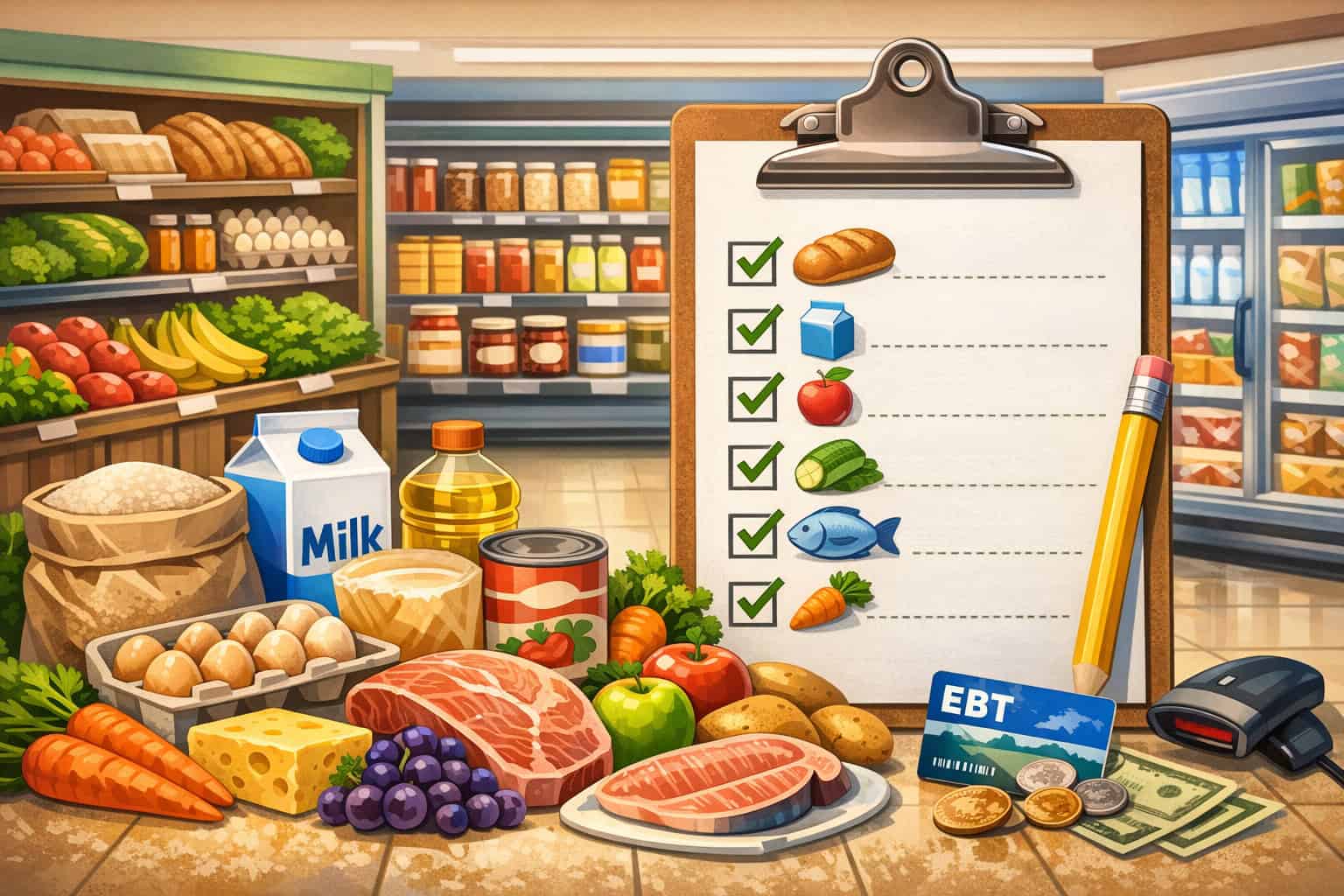
Inventory is where many retailers unintentionally fail. Even if your paperwork is perfect, your store must look and operate like a stable food retailer. This checklist supports both authorization and daily compliance by focusing on eligible food categories, shelf consistency, and practical store organization.
Inventory readiness checklist (what to stock and how to present it)
Use this as a practical guide while remembering that exact inventory standards can change and should be confirmed through official program guidance:
- Maintain consistent stock levels for staple-food areas
- Keep a meaningful variety across everyday grocery categories
- Avoid letting staple-food shelves look “empty” or seasonal-only
- Ensure items are clearly labeled and priced
- Separate eligible food categories from clearly ineligible categories where possible
- Keep cold storage (if used) clean, functional, and visibly stocked
- Maintain receipts and invoices for staple-food inventory (helpful for recordkeeping)
- Train receiving staff to notify management if staple-food inventory drops below targets
This is also about credibility. A store that appears to be “stocked for the application” but not for ongoing operations can trigger more scrutiny.
Item eligibility setup: avoid confusion at the shelf and register
Your POS should reflect item eligibility correctly, but your store layout also matters. Use shelf tags, department grouping, and cashier guidance so customers understand why some items are eligible and others aren’t.
If your store sells items that can be eligible or ineligible depending on preparation (such as hot vs. cold prepared items), define a clear policy and train staff to follow it. Ambiguity causes mistakes, and mistakes can become violations.
POS and EBT terminal readiness checklist: set up for compliant transactions
Choosing and configuring your POS is one of the most important parts of meeting ongoing EBT retailer requirements. A compliant setup helps prevent accidental violations, reduces customer friction, and makes audits far less stressful.
POS/terminal readiness checklist (configuration and testing)
Before you go live, confirm the following:
- Your POS or EBT terminal is enabled for SNAP EBT
- Item eligibility setup is correct for your inventory
- Receipts clearly show SNAP EBT tender and balances when applicable
- Split tender works reliably (eligible items on SNAP EBT, remainder on other tender)
- Managers understand how to handle partial approvals and tender re-routes
- Void/return workflows work correctly (and do not bypass eligibility rules)
- Connectivity is stable (wired or strong network signal)
- Staff know the “no manual workaround” rule
- You have a support contact path for urgent checkout issues
Testing is non-negotiable. Do not assume it “just works” because the terminal is installed.
Receipts, reporting, and transaction monitoring basics
Your receipts should support clear recordkeeping. Your reporting should let you monitor unusual patterns and respond quickly to issues like repeated declines, frequent voids, or suspicious refund behavior.
At minimum, ensure you can produce:
- Daily tender totals including SNAP EBT
- Void and refund logs by cashier and by register
- Exception reports (high refunds, high voids, repeated declines)
- Item-level data if using an integrated POS (useful for eligibility audits)
Cashier training and scripts checklist: reduce mistakes and protect the customer experience
Policies don’t prevent mistakes—scripts do. Your team needs language that is calm, consistent, and respectful. This checklist covers training topics and practical cashier scripts that support compliance without making checkout awkward.
Cashier training checklist (skills and scenarios)
Train every cashier and supervisor on:
- What SNAP EBT is and what it can pay for (at a high level)
- How to recognize ineligible items at your store
- How split tender works and how to explain it
- What to do when an item is declined (without guessing)
- How to call a manager and what to say
- The store’s return/void process for EBT transactions
- The rule against cash back on SNAP EBT (where applicable)
- How to handle customer disputes respectfully and quickly
Practice with role plays. Real confidence comes from repetition.
Cashier scripts (simple, respectful, and consistent)
Use scripts like these to reduce conflict and keep checkout moving:
- If an item is ineligible: “This item isn’t eligible on SNAP EBT. You can pay for it with another payment method, or I can remove it from the order.”
- If split tender is needed: “Your SNAP EBT will cover the eligible items. The remaining balance is for the non-eligible items—how would you like to pay for that part?”
- If the card declines: “It looks like the transaction didn’t go through. Would you like to try again, use another payment method, or have me call a manager to help?”
- If a customer asks for cash back: “SNAP EBT can only be used for eligible food items. It doesn’t allow cash back at checkout.”
Keep scripts short and neutral. Avoid implying blame.
Compliance and audit readiness checklist: monthly and quarterly habits that keep you safe
Compliance is not a one-time event. Once you’re authorized, you’re responsible for operating within program rules, maintaining good records, and responding appropriately to monitoring or audits.
This section offers general guidance—not legal advice—so you can build an operational system that supports USDA EBT retailer requirements as they evolve.
Common violations to prevent (and how they happen in real life)
Violations often occur through everyday mistakes, not intentional wrongdoing. Common issues include:
- Selling clearly ineligible items on SNAP EBT due to incorrect item eligibility setup
- Allowing cash back or cash-like value from SNAP EBT
- Using manual workarounds when a system fails (which can bypass controls)
- Excessive refunds or suspicious void patterns
- Poor receipt retention or missing transaction records
- Inconsistent store inventory that undermines store eligibility assumptions
The “how” matters. For example, a POS misclassification can cause an ineligible item to scan as eligible, and cashiers may not notice. Or a manager may override a decline and accidentally route the wrong tender.
Recordkeeping best practices and audit preparation
Strong recordkeeping makes audits manageable. At minimum, keep:
- Daily settlement summaries including SNAP EBT totals
- Void/refund logs with reasons and manager initials/approvals
- POS reports showing tender activity by cashier
- Inventory invoices for staple-food categories (helps show ongoing eligibility intent)
- Training logs (who was trained, when, and on what topics)
- Written policies and version history (when you changed procedures)
Prepare a simple “audit packet” template so you can respond quickly if asked.
Returns and voids: how to handle them correctly (general guidance)
Returns and voids should follow a consistent process that protects customers and prevents misuse. Use these principles:
- Document the reason for every return and void
- Require manager approval above a defined threshold
- Use POS-native refund/void functions (avoid manual workarounds)
- Ensure the refund method follows program rules and your POS configuration
- Keep a receipt trail: original sale + refund/void record
Train staff that “fixing it fast” is not the goal; “fixing it correctly” is.
Costs and provider comparison: what you’ll pay for (without guessing numbers)
Retailers often underestimate the true cost categories of accepting SNAP EBT. The goal isn’t to find the cheapest option—it’s to find a setup that’s reliable, supportable, and compliant. You can compare providers without relying on made-up pricing by focusing on cost categories and operational fit.
Typical cost categories to plan for
Expect costs or fees in categories like:
- Hardware (EBT terminal and peripherals)
- POS software licensing or subscriptions (especially for integrated POS)
- Setup and onboarding support
- Connectivity (backup internet, network improvements)
- Ongoing support plans and replacement programs
- Training time and internal labor for rollout
- Potential fees tied to payment acceptance features (depending on your setup)
Even if some equipment is provided under certain programs or arrangements, you still pay in time and operational effort. Budget for training and testing, not just devices.
How to compare providers for EBT readiness
Use operational questions to compare options:
- Does the system support accurate item eligibility setup at the item level?
- How does split tender behave with mixed baskets?
- What does the receipt show, and can it be customized?
- What reports are available for compliance monitoring?
- What is the support process during peak retail hours?
- Is offline mode allowed, and if so, how does it prevent manual workarounds?
- How are updates deployed, and do they risk breaking eligibility rules?
Choose the system that reduces your compliance workload and prevents cashier mistakes by design.
Troubleshooting: common EBT issues and practical fixes
Even with good setup, issues happen. The key is to respond with a consistent troubleshooting flow that protects customers and avoids risky workarounds. This section covers practical fixes for the most common problems retailers encounter after enabling SNAP EBT.
Declines and partial approvals: what to check first
If a transaction declines or partially approves:
- Confirm the item mix: eligible vs. ineligible items in the basket
- Verify split tender steps are followed correctly
- Re-try the transaction once (if the customer agrees) using standard steps
- Check connectivity status on the terminal/POS
- If issues persist, call your support line and document the incident
Avoid guessing about customer balance or blaming the customer. Keep your language neutral and helpful.
Split tender confusion: reduce friction at checkout
Split tender is one of the most common points of confusion, especially when customers expect one card to cover everything. Reduce confusion by:
- Training cashiers to explain split tender in one sentence
- Having clear signage near checkout
- Ensuring the POS prompts are understandable and consistent
- Practicing mixed-basket transactions in training
If customers frequently get surprised by non-eligible items, review shelf labeling and your “top 25 ineligible” training list.
Wrong eligibility flags: when items are misclassified in the POS
If eligible items are declining—or ineligible items are mistakenly approved—treat it as urgent:
- Identify the SKU(s) involved
- Review category mapping and item eligibility setup
- Correct the item file and re-test
- Document the change and retrain staff if needed
In integrated POS systems, item eligibility setup is a core control. Misclassification can lead to customer frustration and compliance risk.
Connectivity issues: keep a compliant backup plan
Connectivity problems can derail checkout quickly. Prepare by:
- Using stable internet with a backup option where practical
- Separating POS traffic from guest Wi-Fi if you offer it
- Training staff on what to do when the system is down (and what not to do)
- Documenting outages and resolutions
Most importantly: avoid manual workarounds that bypass normal controls. If the system is down, follow your provider’s approved procedures.
Practical examples by store type: how requirements show up in real operations
Different retail formats experience EBT retailer requirements differently. These examples show what “good” looks like in daily operations without relying on brand names or unrealistic setups.
Convenience store example: making staple foods visible and consistent
A convenience store can succeed by intentionally building a consistent staple-food offering. The operational focus is on stocking and maintaining core grocery categories regularly, not occasionally. The store keeps shelves organized, prices clear, and trains cashiers to handle mixed baskets smoothly.
The biggest risks are thin inventory, misclassified items in the POS, and staff improvisation during declines. A successful store uses a simple weekly inventory checklist, a daily cashier huddle during the first month, and clear manager escalation rules.
Receipts and exception reports are reviewed weekly to spot patterns like excessive voids or repeated declines at one register.
Grocery store example: scaling training and monitoring across lanes
A grocery store often has strong inventory, but complexity increases with many registers and many employees. The operational challenge is consistent training and consistent item eligibility setup across departments.
A strong setup includes cashier scripts, standardized return/void policies, and reporting dashboards that highlight exceptions by lane and by cashier.
Grocery operators benefit from formalizing a compliance routine: weekly reporting reviews, monthly policy refreshers, and quarterly internal spot checks. When issues occur, they’re handled like quality control: isolate the cause (SKU setup, training, or process), fix it, and verify the fix with testing.
Specialty food shop example: aligning inventory and eligibility narrative
Specialty food shops must align store operations with eligibility expectations. The store can strengthen its case by maintaining staple-food categories consistently, organizing inventory clearly, and ensuring that what’s sold matches the store’s eligibility story.
If the shop sells many gift items, non-food products, or prepared items, it needs extra clarity in shelf organization and cashier procedures.
The shop also benefits from strong documentation: organized invoices for staple-food purchases, photo evidence of consistent stock, and clean store signage. A thoughtful POS setup helps avoid misclassification and makes split tender smooth when customers buy a mix of eligible food and non-eligible specialty items.
Small market example: building a simple, repeatable compliance system
Small markets often run lean, so the best approach is a simple system that prevents repeat mistakes. The market uses a short weekly inventory routine, a clear item eligibility owner, and basic reporting reviews. Staff training is short but frequent—micro-coaching instead of long sessions.
The market also focuses on customer experience: clear signage, calm scripts, and quick manager support. Returns and voids follow a strict process with documentation, because that’s a common audit focus area. The result is a store that’s easy to verify, easy to operate, and less likely to experience compliance problems.
A 30-day “get authorized” plan and a 90-day “optimize compliance” plan
Plans work when they’re realistic. These timelines assume you’re starting from “not authorized yet” and want to reach stable, compliant operations.
30-day plan: from readiness to submission to launch preparation
Days 1–7: Store readiness
- Audit your inventory against staple-food expectations (broadly)
- Reorganize shelves for clear eligible food categories
- Set pricing labels and clean up store presentation
- Draft written policies for returns, voids, and manager overrides
- Assign an application owner and create your compliance binder
Days 8–14: Document collection
- Gather business license, EIN documentation, location proof, and ownership verification
- Standardize names/addresses across documents
- Take store photos (exterior signage, interior shelves, checkout)
- Prepare an ownership summary sheet and a store summary sheet
Days 15–21: Application completion
- Complete the retailer authorization application carefully
- Double-check consistency across every field
- Submit a complete package and track your submission status
- Prepare to respond quickly to follow-ups
Days 22–30: POS readiness
- Select your POS/terminal path and schedule installation
- Configure item eligibility setup (if integrated POS)
- Build cashier scripts and training materials
- Create signage and an outage flow document
- Run testing scenarios and document results
90-day plan: optimize compliance and reduce operational risk
Days 31–45: Stabilize
- Go live with strong manager coverage
- Hold daily 10-minute huddles for the first two weeks
- Review receipts and exceptions daily
- Fix eligibility setup errors immediately
Days 46–60: Formalize
- Establish weekly reporting review (refunds, voids, declines, cashier patterns)
- Update training based on real issues observed
- Refresh signage and register rules sheets
- Document any process changes and store them in the binder
Days 61–90: Strengthen and audit-proof
- Implement monthly compliance close (export reports, file, review)
- Run quarterly internal spot checks (register observations + receipt sampling)
- Retrain cashiers with targeted role plays
- Review inventory consistency and adjust minimum on-hand targets
- Update your audit packet template and keep it current
FAQ
Q1) What are EBT retailer requirements in plain language?
Answer: EBT retailer requirements are the operational and administrative standards a store typically must meet to be authorized to accept SNAP EBT and remain compliant afterward.
In practice, this usually means meeting SNAP retailer requirements related to store eligibility (selling appropriate food inventory consistently), business legitimacy (valid entity and location), and responsible transaction handling (no prohibited practices, accurate tender flows, and good records).
Requirements aren’t just about having a terminal; they include how your store is stocked, how your staff handles mixed baskets, and how you manage returns and voids. Because program guidance can change, treat this as a living process: meet the current standards, document your compliance routines, and verify updates through official channels.
Q2) What are the most common reasons for delays in retailer authorization?
Answer: Delays usually come from incomplete applications, mismatched documents, unclear ownership details, or store evidence that raises questions about eligibility.
For example, a business name may appear differently across your license, EIN documents, and lease. Or store photos may show limited staple-food inventory, sparse shelves, or unclear pricing.
Another common delay driver is slow response time when reviewers request clarification. The best prevention is preparation: build a consistent document set, keep your inventory stable, and respond to requests with complete, clearly labeled attachments. Treat follow-ups like urgent operational tasks, not low-priority admin work.
Q3) Do all stores have the same EBT retailer eligibility requirements?
Answer: No. While many eligibility themes are consistent—store legitimacy, staple-food presence, and compliant operations—EBT retailer eligibility requirements can differ based on store type, authorization pathways, and current program guidance.
That’s why it’s risky to rely on one “universal rule” you heard from another retailer. Your best approach is to prepare broadly: maintain meaningful staple-food inventory, organize the store clearly, and gather clean documentation.
Then verify your specific requirements through the authorizing agency’s current guidance. This combination gives you the best chance of fast approval and fewer surprises later.
Q4) What documents are typically needed for SNAP retailer requirements?
Answer: Most retailers should expect to provide documents proving business identity, location legitimacy, and ownership/management identity. Common items include a current business license, an EIN confirmation document, proof of the store’s address (often lease or utility documentation), and ownership verification details.
Identity documents for owners or controlling persons may also be required as part of KYC-style verification. Clear store photos (signage, shelves, checkout lanes) are often important, because they help reviewers understand your operations.
The most important rule is consistency: names, addresses, and entity types should match across documents and application fields.
Q5) What inventory should my store carry to improve approval odds?
Answer: Inventory expectations usually focus on consistent availability of staple foods and a meaningful selection across common everyday grocery categories. Your store should look like a stable food retailer, not primarily a non-food retailer with a few snacks.
That means stocked shelves, clear pricing, and an organized layout that supports grocery shopping. Because exact inventory thresholds and definitions can change, you should verify official program guidance for your store format.
Practically, you can improve your application by maintaining consistent inventory over time, keeping invoices, and documenting your shelves with timestamped photos. Consistency matters as much as quantity.
Q6) Can my POS system automatically handle eligible vs. ineligible items?
Answer: An integrated POS often can, but only if item eligibility setup is configured correctly. Your POS needs to recognize which items are eligible under SNAP EBT and route payment appropriately, especially for mixed baskets that require split tender.
If your item file is incomplete or misclassified, you can get false declines (eligible items rejected) or accidental approvals (ineligible items allowed), both of which cause problems.
The best practice is to assign one internal owner for item eligibility setup, test with real baskets, and review exceptions frequently during the first 30–90 days. Technology helps, but setup discipline is what makes it reliable.
Q7) How should we handle returns and voids for EBT transactions?
Answer: Returns and voids should be handled through consistent, documented POS workflows—without manual workarounds. The safest approach is to require a reason for each return/void, manager approval above a threshold, and a receipt trail that links the original transaction to the correction.
Staff should be trained to “fix it correctly,” not “fix it quickly.” Your store should also review refund and void patterns regularly; high frequency can trigger scrutiny and often indicates training gaps or item eligibility setup errors.
Because return handling can involve program-specific rules, verify the current guidance and ensure your POS configuration aligns with it.
Q8) What are common violations retailers should avoid?
Answer: Common violations include selling ineligible items on SNAP EBT due to poor item eligibility setup, allowing cash back on SNAP EBT, using manual workarounds when systems fail, and maintaining poor recordkeeping that prevents transaction verification.
Another risk is a store whose inventory or operations drift away from what was presented during authorization—such as staple-food inventory becoming inconsistent. Most violations happen through repeated small mistakes, not one dramatic event.
Strong training, clear scripts, disciplined POS configuration, and monthly reporting reviews are your best defenses. Keep written policies current, and treat exceptions as process-improvement opportunities.
Q9) How do audits or monitoring usually work in practice?
Answer: Monitoring and audits typically focus on whether your store is operating consistently with program expectations: proper item eligibility handling, clean transaction records, sensible patterns for refunds/voids, and an operation that looks like a real food retailer.
You may be asked to provide records, explain transaction patterns, or clarify how your POS handles certain scenarios. Being audit-ready isn’t about being afraid—it’s about being organized.
Maintain an audit packet template, export reports monthly, keep training logs, and document policy changes. This makes responses fast and confident, and it helps you identify and fix issues early.
Q10) Can I accept EBT online or at a market-style operation?
Answer: It may be possible depending on program pathways and current guidance. Online EBT (if applicable) often involves additional technical and operational requirements, including secure checkout flows and eligibility controls.
Farmers market EBT (if applicable) can involve different operational models, such as mobile devices, tokens/vouchers, or centralized checkout approaches depending on program rules.
Because these models can have specialized requirements and may change over time, verify the current program instructions and plan your setup carefully. Operationally, the same fundamentals apply: clear records, trained staff, and consistent, compliant transaction handling.
Conclusion
A smooth authorization and a low-stress compliance life come from the same thing: operational discipline. When you build your store around clear inventory standards, consistent documentation, a well-configured POS, and staff scripts that prevent mistakes, you don’t just meet EBT retailer requirements—you make them easy to maintain.
Remember the core idea: authorization is a verification process. The more clearly your store can be verified as a stable food retailer with legitimate ownership and compliant transaction handling, the faster things tend to move and the fewer follow-ups you’ll face.
After approval, the same clarity protects you during monitoring: clean receipts, consistent inventory, strong training, and simple reporting routines.
Keep this guide as a living checklist. Update it when your store changes—new managers, new POS, new product mix, new register flows. And always verify the latest SNAP retailer requirements and USDA EBT retailer requirements with official program guidance so your practices stay aligned over time.