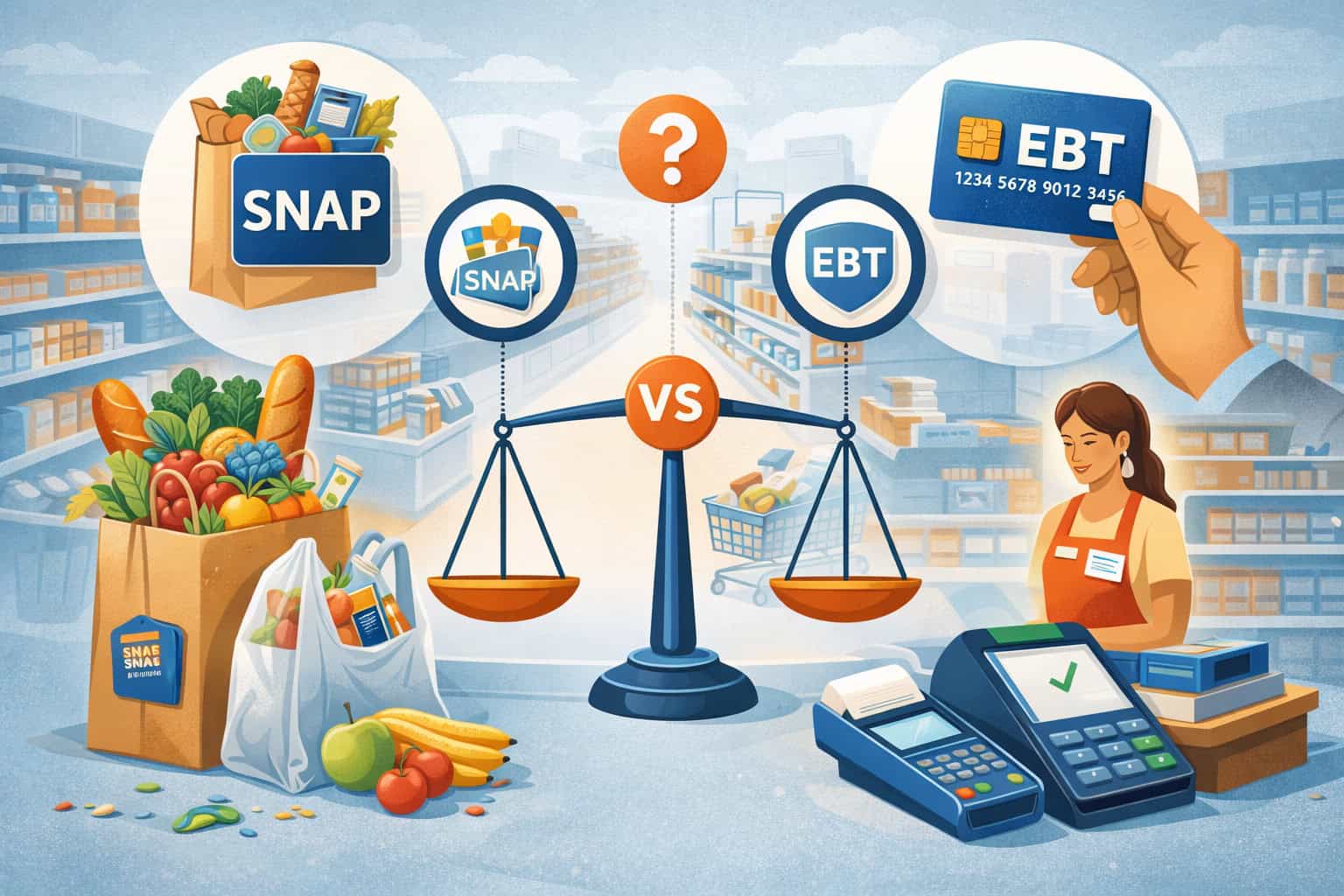
Retailers hear customers say “Do you take EBT?” dozens of times a day. Cashiers repeat it. Managers write it on signage. Even owners use the phrase when comparing payment equipment.
The problem is that SNAP vs EBT isn’t just semantics—it affects how you train staff, configure your POS system, prevent checkout friction, and stay audit-ready.
Many retailers confuse the terms because customers use them interchangeably. In everyday conversation, “EBT” often means “food benefits.” But operationally, SNAP is the benefit program, while EBT is the delivery method (the card and transaction rails used to access benefits).
When your team understands the difference between SNAP and EBT, you can answer customer questions clearly, reduce declines, prevent accidental policy violations, and make checkout smoother—especially for split tender transactions where part of the basket is eligible and part isn’t.
This guide explains SNAP and EBT explained for retailers in practical, real-world terms. You’ll learn what staff really mean when they say they “take EBT,” how to set up equipment and inventory, how the transaction workflow works at the register, what to watch for during refunds and voids, and how to build cashier confidence without turning operations into a compliance headache.
SNAP vs EBT explained
Let’s start with the simplest way to understand SNAP vs EBT:
- SNAP is a benefits program that helps eligible households buy food.
- EBT is the system that delivers benefits and allows customers to spend them, usually through an EBT card with PIN entry at checkout.
This is the core SNAP vs EBT difference. SNAP is the “what” (the benefit). EBT is the “how” (the payment delivery method).
Retailers often blend the two because, from the lane perspective, the customer pays with a card and a PIN—so it looks like a debit transaction. But the rules, eligible items, and compliance expectations are different from standard debit and credit.
When a retailer is authorized to accept SNAP benefits, they’re approved to accept SNAP through EBT transactions. That authorization is typically associated with a retailer account and an identifier (often referred to operationally as an FNS number), which ties acceptance to that store location and setup.
For day-to-day operations, you don’t need to memorize complex policy language. You do need to understand how the basket is evaluated, how eligible items are separated from ineligible items, and how tender is applied.
The difference between SNAP and EBT in a retailer’s day-to-day operations
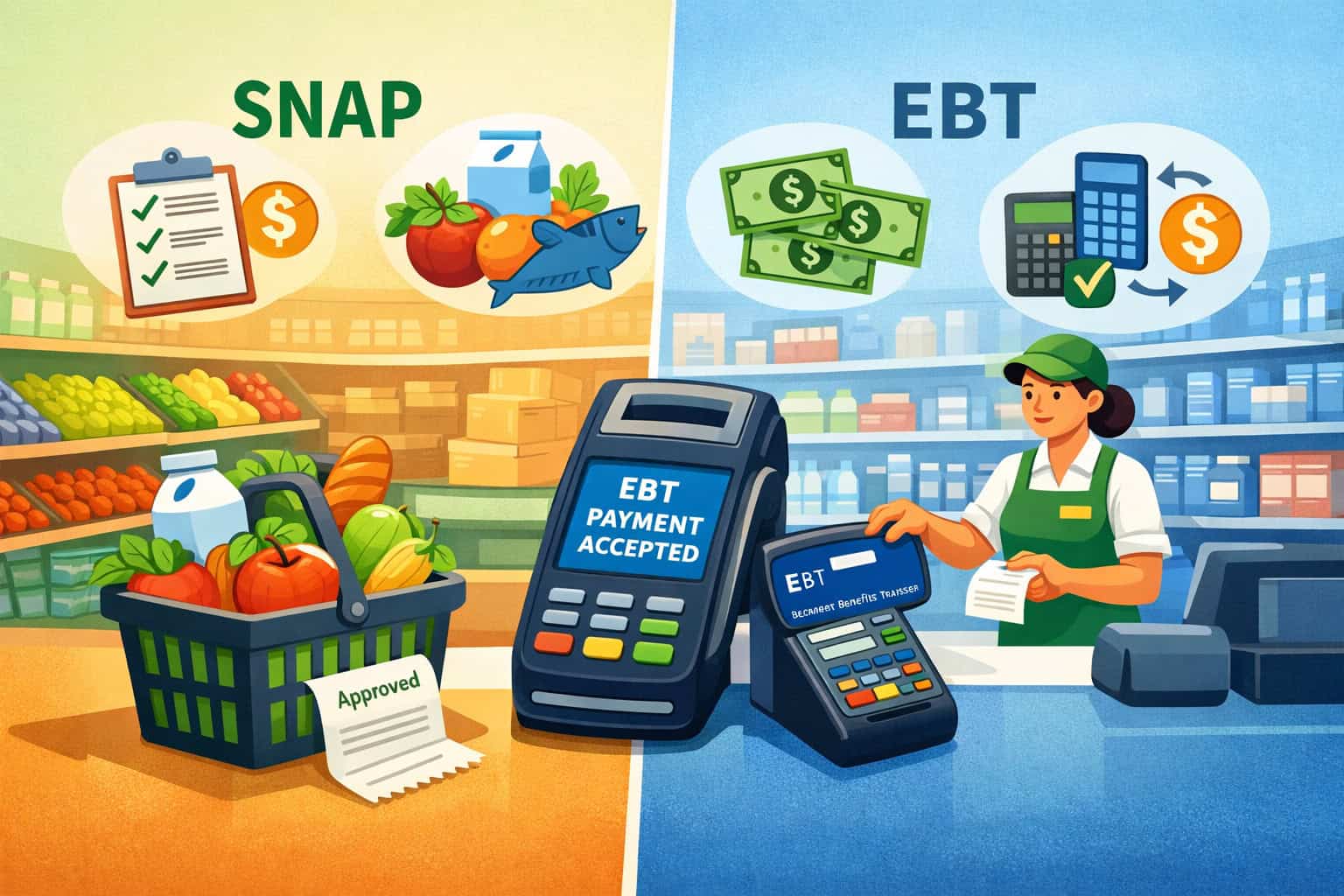
The difference between SNAP and EBT becomes most obvious at the register. SNAP benefits generally apply only to certain food items, and your system must correctly distinguish eligible from ineligible products. EBT is what runs the transaction, but SNAP determines what can be covered.
In practice, retailers deal with three layers:
- Program layer (SNAP benefits): what can be purchased.
- Transaction layer (EBT card + PIN): how the customer pays.
- Store layer (your POS system and workflows): how your checkout lane identifies eligible foods, prints receipts, and handles splits.
This matters because your checkout experience can either reduce confusion—or create it. For example, a cashier may think “EBT didn’t work” when the real issue is that only part of the basket was SNAP-eligible and the rest needs another tender.
Or the system may decline because the customer entered the PIN incorrectly, which is an EBT workflow issue rather than a SNAP eligibility issue.
Retailers also face operational questions that don’t come up in normal card acceptance:
- What do we do if only some items are eligible?
- How do we explain why the customer still owes money?
- How do we handle returns without accidentally issuing an inappropriate refund?
- What if the internet goes down and the EBT terminal can’t connect?
A strong SNAP vs EBT for retailers training program is less about memorizing rules and more about mastering common scenarios.
What retailers mean when they say “we take EBT” and why it causes confusion
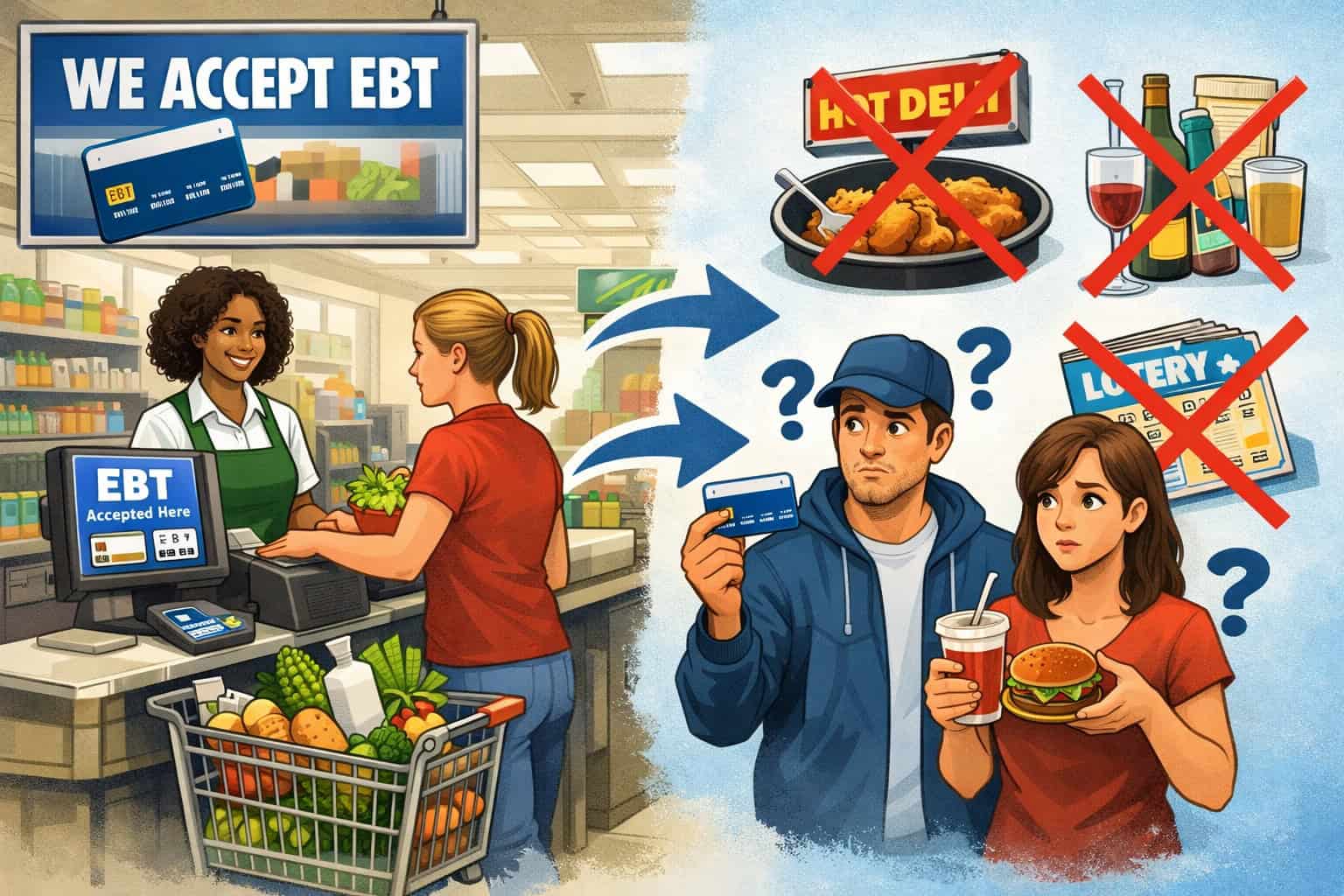
When a store says, “We take EBT,” they usually mean: “We can accept SNAP benefits.” Customers often use “EBT” as shorthand for the benefit itself, and staff pick up that language. That’s understandable—but it can lead to misconceptions that show up as checkout conflicts.
Common misunderstandings include:
- “EBT pays for everything in my basket:” In reality, only eligible foods are covered by SNAP benefits. The rest needs another tender.
- “If we take EBT, we automatically accept all state EBT programs:” Programs can vary. Some cards may also support cash benefits or other benefit types. Store acceptance may differ depending on what the store is authorized and equipped to accept.
- “EBT is just like debit:” It can look similar at checkout, but the rules and receipt details can differ, and the tender must map to eligible items.
- “If it declines, it must be the store’s fault:” Declines can be caused by incorrect PIN entry, insufficient SNAP balance, card issues, connectivity, or item eligibility.
Retailers should aim for consistent language without correcting customers in a way that feels confrontational. The goal is to keep the line moving while giving customers a clear explanation of what happened and what to do next.
What items SNAP benefits typically cover vs don’t cover
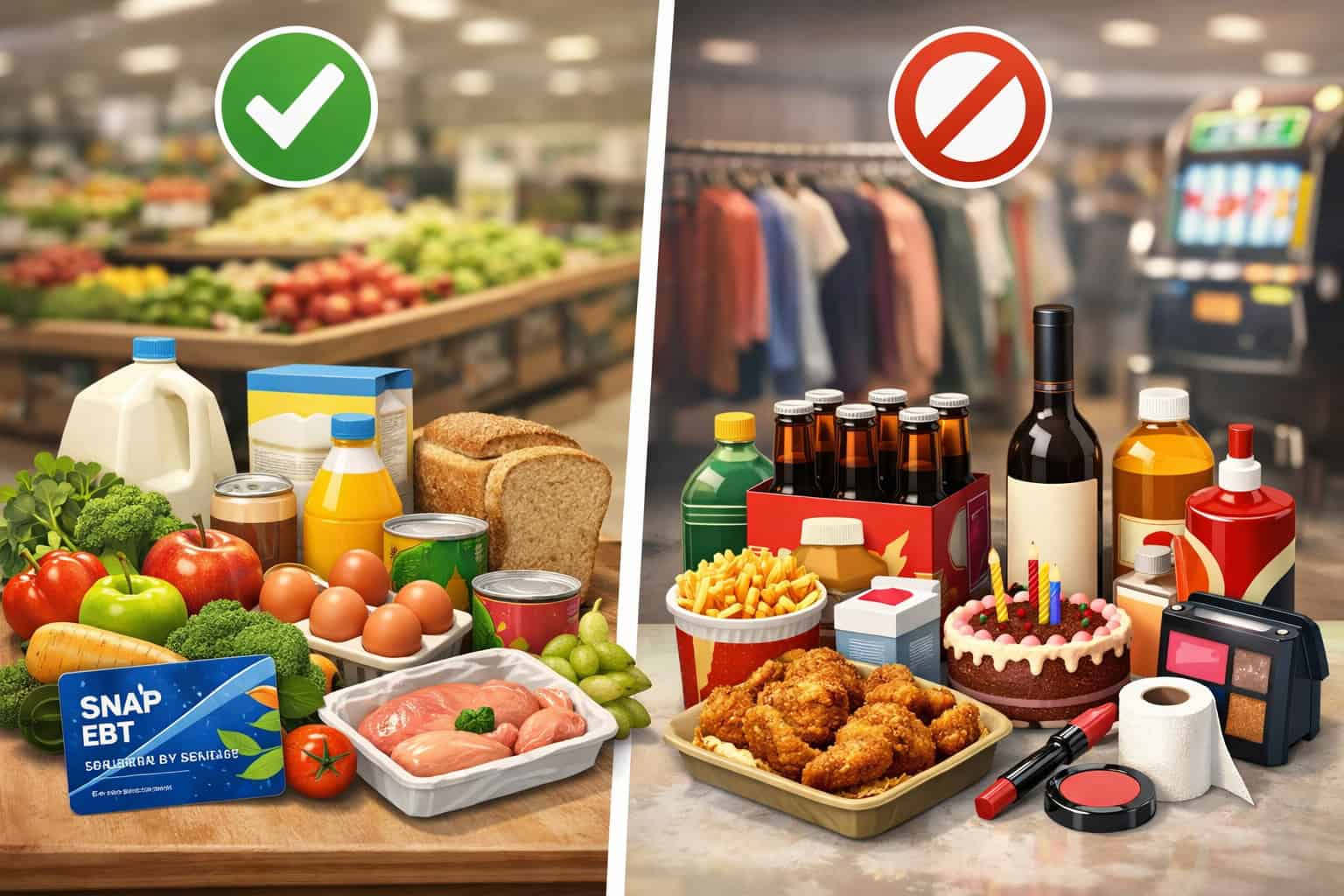
SNAP benefits are generally intended for food items purchased for home consumption. In retail operations, the key is knowing the high-level categories of eligible foods and ineligible items, then training staff to avoid guessing when unusual products are involved.
In many stores, the most common SNAP-eligible items include staple grocery categories like packaged foods, dairy, produce, meat, grains, and non-alcoholic beverages intended for home use.
SNAP often does not cover non-food items, certain prepared items meant for immediate consumption, and other categories that are outside the program’s intended use.
Because rules and interpretations can vary, retailers should avoid promising eligibility for edge cases and should encourage verifying official guidance when needed.
It’s also important to recognize that eligibility is often determined by product classification and how it’s configured in your system. If your inventory setup flags an eligible product incorrectly, you’ll see incorrect approvals or declines.
High-level examples of items that are often ineligible:
- Household supplies and personal care items
- Pet food and related products
- Certain hot or ready-to-eat prepared items
- Alcohol and restricted products
Your store’s job is to keep the experience consistent: customers should see eligible items covered when they should be, and the remaining balance should clearly reflect ineligible items.
How EBT checkout works at the register
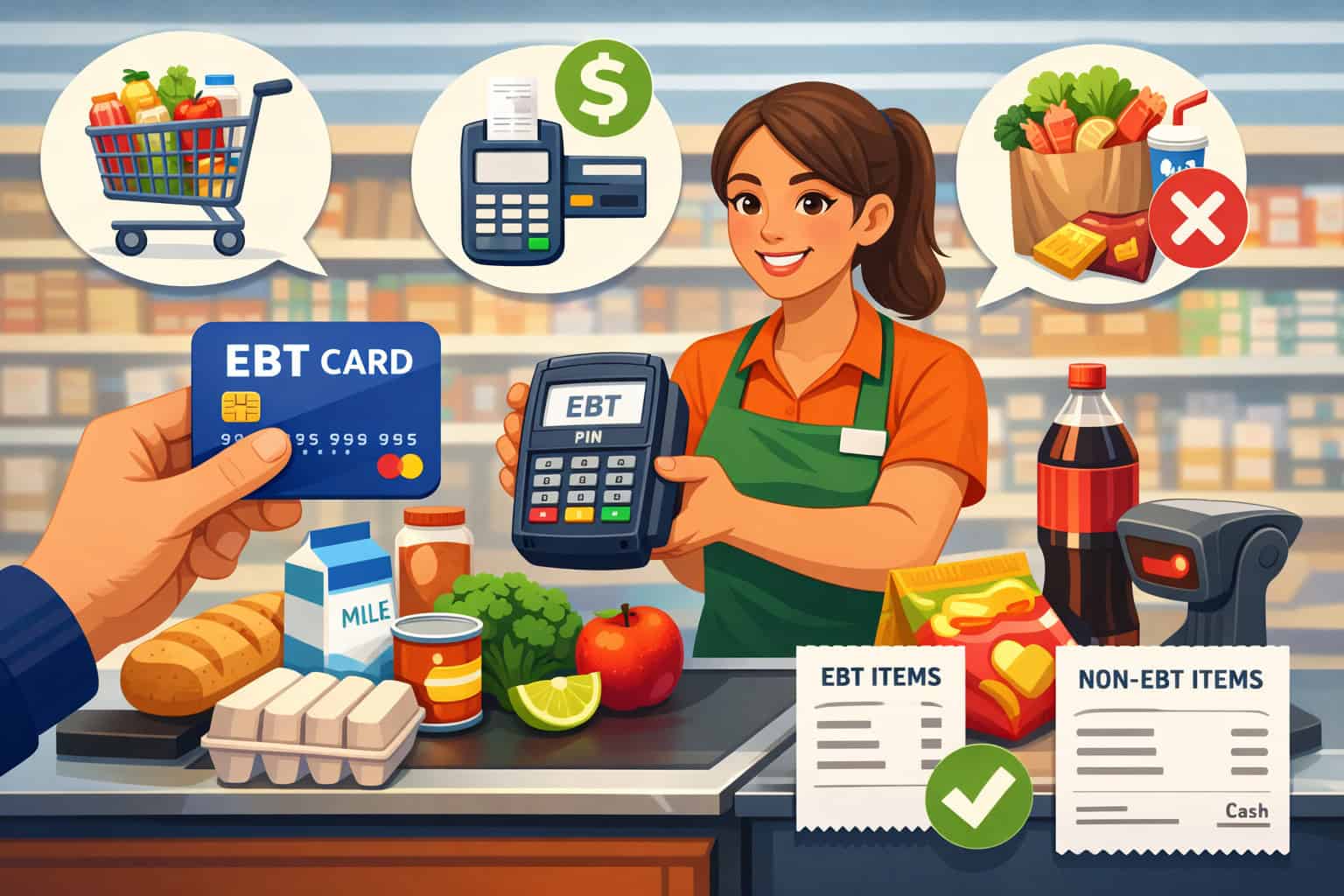
EBT checkout is usually straightforward when the basket is entirely SNAP-eligible: the customer swipes/taps/inserts the EBT card, enters a PIN, and the eligible portion is approved. The complexity shows up when baskets contain mixed eligibility or when the transaction requires a partial approval and split tender.
A typical transaction workflow looks like this:
- The cashier scans items as usual through the POS system.
- The POS calculates the basket total and identifies SNAP-eligible items.
- The customer selects the EBT tender option.
- The EBT device prompts for PIN entry.
- The system requests authorization for the eligible amount (up to the customer’s available SNAP benefits balance).
- If approved, the receipt shows the SNAP-covered amount and any remaining balance.
- If a balance remains, the cashier collects the remainder using cash, debit, credit, or another accepted tender.
Where things go wrong:
- PIN entry errors (multiple attempts can trigger issues)
- Customer has insufficient balance, resulting in partial approval
- Items are misclassified in inventory, causing eligibility mismatch
- Connectivity issues prevent authorization
Cashier confidence matters. A hesitant cashier can accidentally turn a normal partial approval into a conflict. Your goal is a calm, practiced response.
Split tender: handling mixed baskets smoothly
Split tender is where retailers win or lose the customer experience. Most EBT shoppers are used to paying for part of the basket with SNAP and the rest with another tender. But confusion can happen fast—especially when a customer expects the benefits to cover more than they do.
Here’s the practical approach:
- Always let the system apply SNAP/EBT to eligible items first.
- Communicate the remaining balance clearly and neutrally.
- Offer options for paying the remaining amount: cash, debit, credit, or removing items.
- Avoid debating item eligibility at the lane when the line is long—offer a quick resolution.
Common split tender scenarios:
- Grocery + household items in one transaction
- Customer wants to prioritize certain items if balance is low
- Multiple tenders used: EBT first, then debit, then cash
- Customer asks to separate items into different transactions
If your POS supports it, consider training cashiers on the fastest ways to handle “separate baskets” or “void last item” to reduce disruptions. If it doesn’t, your cashier scripts and lane procedures become even more important.
Receipts, customer messaging, and minimizing checkout friction
Receipts are your best communication tool in EBT transactions. A good receipt reduces complaints because it shows exactly what happened: what was paid with SNAP/EBT, what remains due, and sometimes the remaining benefit balance (depending on program design and equipment behavior).
Retailers should train staff to:
- Hand receipts promptly and point out key lines if the customer looks confused.
- Avoid oversharing personal details or reading balances aloud.
- Use consistent language when explaining “eligible items” vs “remaining balance.”
Helpful customer messaging includes:
- “Your benefits covered the eligible food items.”
- “The remaining balance is for items not covered by the program.”
- “You can use another tender, or we can remove items.”
If your store does refunds, make sure the receipt and the return process align. Customers will often reference the original receipt to ask why an item didn’t get refunded “to the card” the way they expected.
Also consider your in-store signage. Clear signage reduces awkward conversations and helps set expectations.
Good signage ideas:
- “SNAP/EBT accepted for eligible food items.”
- “Non-eligible items require another payment method.”
- “Please have your card ready for PIN entry.”
Retailer authorization and what “approval” means in practice
To accept SNAP benefits, retailers typically must be authorized as participating retailers. Operationally, this is tied to your store’s identity and location, and it may involve an identifier often referred to as an FNS number. The purpose is to ensure the store is eligible and that the acceptance environment supports proper program use.
From a retailer’s perspective, authorization isn’t just a one-time approval. It affects:
- How your store is set up in processing systems
- Which terminals or POS lanes can accept EBT
- How transactions are routed and settled
- What records you should be prepared to provide during reviews
The big takeaway: treat authorization as part of your compliance foundation. Keep your store information current, ensure your equipment matches your approved setup, and train staff on appropriate tender use.
Avoid turning this into legal guesswork. The best operational approach is to keep documentation organized and build procedures that match your real checkout environment.
Recordkeeping and audit readiness basics
Most retailers don’t run into issues because they meant to do something wrong. They run into problems because they can’t prove they did things right—or because their systems and training are inconsistent across shifts.
Audit readiness doesn’t mean living in fear. It means having basic operational discipline:
- Retain transaction records and settlement reports in an organized way.
- Keep training materials current and document that staff received training.
- Use clear lane procedures for split tender, voids, and refunds.
- Ensure inventory setup reflects eligible categories accurately.
Your POS and EBT terminal data can help you spot anomalies early. If you see unusual patterns—like a sudden shift in average ticket size or repeated high-dollar EBT transactions—treat it as a signal to review lane behavior, item classification, and training.
Also, train managers on escalation paths. Cashiers shouldn’t be improvising policy at the register. If a customer dispute or unusual scenario happens, there should be a standard approach: call a manager, review receipt, and resolve quickly.
Common compliance mistakes and how to prevent them
Most issues start with avoidable operational mistakes. You can reduce risk by focusing on the handful of problems that appear repeatedly in real stores.
Common violations or problem areas (retailer-facing):
- Misclassifying items so that ineligible products are treated as eligible
- Allowing staff to “work around” declines by changing item types or ringing items differently
- Inconsistent refund handling that doesn’t match how the item was originally paid
- Poorly managed downtime, leading to unsupported “manual” workarounds
- Inadequate training, especially for new cashiers or high-turnover shifts
Prevention strategies that actually work:
- Lock down item categories and require manager access to change eligibility flags.
- Use clear “do/don’t” lane rules and post them where cashiers can see them.
- Train staff to treat the receipt as the source of truth for what was paid by which tender.
- Document downtime procedures and ensure staff know who to call.
Keep the tone practical. Staff should feel supported, not policed. The goal is consistent operations.
Standalone EBT terminals vs integrated POS systems
Retailers typically choose between two setups:
- A standalone EBT terminal (separate device handling EBT transactions)
- An integrated POS system where EBT processing is built into the register workflow
Standalone terminals can be simpler to deploy, especially for small operations or low lane counts. They may be useful if you’re adding EBT acceptance without replacing your main POS.
However, they can introduce extra steps: cashiers may need to manually enter eligible totals or manage two devices, which increases the chance of errors.
Integrated POS setups can streamline the workflow. The register identifies eligible items automatically, sends the eligible amount to the EBT flow, and prints a cohesive receipt. The tradeoff is that integration requires careful configuration, testing, and ongoing maintenance—especially when you add new items or change inventory setups.
When evaluating a setup, think like an operator:
- How many transactions happen during rushes?
- How often do you sell mixed baskets?
- How high is cashier turnover?
- Do you need clean reporting by lane and by tender?
Inventory, PLU, and item setup: the backbone of eligible checkout
Your EBT success is only as good as your inventory setup. Cashiers can’t reliably determine eligibility for every item on the fly, especially with new products, seasonal items, or specialty categories. The inventory setup must correctly flag eligible items so the POS applies SNAP benefits appropriately.
Key areas to manage:
- Product categories and tax flags (where applicable)
- Eligible vs ineligible mapping at the item level
- PLU setup for produce and bulk items
- UPC accuracy and consistent item naming
- New item onboarding process (so new products don’t default to the wrong status)
If your store is smaller and you use a simpler POS, you may not have advanced item rules. In that case, create a disciplined “item setup routine” for whoever maintains inventory. The goal is consistency: the same product should ring the same way every time, across every lane.
For specialty food retailers (like small markets, butcher counters, or deli-heavy stores), item setup can be tricky. Prepared foods and mixed items need careful classification, and the same “food” item may be treated differently depending on how it’s packaged and sold.
Connectivity and downtime procedures that keep lines moving
EBT transactions usually require connectivity. When the EBT terminal or POS can’t reach the network, the lane can grind to a halt. Retailers should plan for downtime the same way they plan for card network issues: with clear steps, clear roles, and no improvisation.
A practical downtime plan includes:
- Who to call first (provider support, internal IT, or store manager)
- How to switch lanes or reroute customers
- What signage to use temporarily (“EBT temporarily unavailable”)
- How to document the outage (time started, time restored, impacted lanes)
- What the store will and will not do during downtime
Avoid informal “manual solutions” unless your official provider and program rules clearly support them. Unapproved workarounds can create bigger problems than a short outage. Your best move is to communicate calmly, offer alternatives (like holding items briefly while connectivity is restored), and keep a manager available to de-escalate.
Cashier training that works in the real world
Training is where SNAP vs EBT for retailers becomes practical. A cashier doesn’t need a lecture—they need confident scripts, quick rules, and repetition across common scenarios.
Your training should cover:
- What SNAP benefits can generally cover (high-level categories)
- How the EBT transaction flow works (tender selection, PIN entry, approval)
- How to handle split tender without confusion
- How to respond to declines without blaming the customer
- When to call a manager
Keep training short and frequent. Five minutes of practice during shift changes can outperform a one-hour onboarding that no one remembers.
Use roleplay:
- The customer asks, “Why didn’t it cover this?”
- Customer’s EBT declines (wrong PIN vs insufficient balance)
- Customer wants to remove items after partial approval
- Customer wants to run multiple transactions
Make sure managers reinforce the same language across shifts. Inconsistent messaging creates complaints and escalations.
Cashier scripts and quick-reference rules for smoother conversations
Scripts keep lines moving and reduce conflict. They also protect cashiers from feeling like they need to “judge” customers. Here are retailer-tested scripts you can adapt.
When a customer asks if you accept EBT:
- “Yes, we accept SNAP/EBT for eligible food items. You’ll just enter your PIN at checkout.”
When only part of the basket is covered:
- “Your benefits covered the eligible items. The remaining balance is for items not covered—how would you like to pay the rest?”
When the transaction declines:
- “It didn’t go through. Let’s try again—please re-enter your PIN carefully. If it still declines, you may want to check your balance or use another tender.”
When the customer wants to remove items:
- “No problem. Tell me which items you’d like to remove, and we’ll adjust the total.”
Quick-reference do/don’t rules for cashiers:
- Do stay neutral and focus on the receipt.
- Do offer options: another tender or removing items.
- Don’t announce balances aloud.
- Don’t debate eligibility in a long line—call a manager if needed.
- Don’t change how items are rung to “make it work.”
Declines, partial approvals, and split payments: how to handle the tough moments
The most stressful EBT moments happen when something doesn’t work immediately. Your goal is to make these moments predictable and calm.
Declined transactions typically fall into a few buckets:
- PIN entry errors
- Insufficient SNAP balance
- Card issues or temporary lockouts
- Connectivity problems
- Item eligibility mismatch due to POS setup
Teach cashiers the two-step approach:
- Identify if it’s a transaction issue or an eligibility issue.
- Offer a clear next step.
If it’s a partial approval due to insufficient balance, treat it as normal. The system approved what it could for eligible items, and the customer pays the rest.
If the customer becomes frustrated, the manager should take over quickly. A calm manager can preserve the relationship and keep the lane moving.
Also address how to handle customers who want multiple transactions. In many stores, customers prefer separating eligible food items from non-food items to avoid confusion. If your POS handles split tender cleanly, you can keep it in one transaction. If not, allowing two transactions can actually speed things up.
Costs: what retailers should expect and how to compare providers fairly
Retailers often ask, “How much does EBT cost?” The practical answer is that costs usually come in categories—not a single number—and they depend on your equipment choice, integration needs, and support expectations.
Common cost categories include:
- Equipment costs: EBT terminal or compatible PIN pad hardware, possibly replacement or warranty plans
- Monthly fees: service, support, compliance-related services, or software subscriptions
- Transaction-related fees: processing or network-related charges (structure varies by provider and setup)
- Installation or integration costs: especially for integrated POS deployments
- Support costs: after-hours support, on-site service, or premium support tiers
How to compare providers fairly:
- Ask what equipment is required and whether it’s owned, rented, or bundled.
- Confirm whether your POS is compatible with integrated EBT.
- Ask how eligibility is determined (inventory flags, item files, mapping).
- Understand downtime support and escalation paths.
- Review reporting: can you pull tender totals, lane performance, and settlement timing easily?
Avoid choosing solely on the lowest monthly fee. A cheaper setup that causes checkout issues can cost more in lost time, lost customers, and staff frustration.
Settlement and funding timelines: what to expect operationally
Retailers care about when funds arrive and how reporting matches deposits. While exact timelines can vary by program design, provider, and banking setup, the operational best practice is to treat EBT settlement as its own flow and reconcile it consistently.
What you should have in place:
- A daily tender report that shows EBT totals by day and by lane
- Settlement reports from your provider or POS system
- A reconciliation routine: compare sales totals, settlements, and deposits
- A process for investigating discrepancies (who checks, who calls support, how issues are documented)
Make sure managers understand that EBT settlement may not mirror credit/debit settlement exactly. What matters is having a consistent, repeatable way to match reports to deposits without guesswork.
Also train your team on what the customer sees. Some customers may ask, “When will it come back?” after a return or adjustment. Your staff should avoid making promises and should rely on the receipt and standard store policy language.
Refunds, voids, and chargebacks: keeping returns clean
Refund handling is one of the easiest places for mistakes. Retailers should align returns with how the original tender was applied. If an item was purchased using SNAP benefits, your return process should follow the appropriate method for returning value (often back to the benefit card under program rules and equipment capabilities).
Operational best practices:
- Require the original receipt for EBT-related returns when possible.
- Train staff to process returns through the same lane procedure every time.
- Use manager approval for EBT returns above a certain threshold.
- Document exceptions clearly (no improvising).
Chargebacks are common in credit card operations, but EBT disputes may follow different processes. The key is to keep clean records: receipts, return logs, and transaction details. Even if disputes are rare in your store, the discipline pays off in audit readiness.
If your POS cannot process certain EBT return scenarios cleanly, you need a documented manager-only workflow to avoid inconsistent handling across shifts.
Online EBT and digital acceptance: what retailers should know
Some retailers explore online acceptance to serve customers who prefer digital ordering. Online EBT acceptance can introduce additional operational requirements, especially around item eligibility, substitution handling, and customer communication.
If you operate online ordering, consider:
- How the system prevents ineligible items from being paid with SNAP benefits
- How substitutions are handled if an eligible item is out of stock
- How split tender works if the cart includes non-eligible items
- How receipts and confirmations explain tender breakdown
- Fraud prevention and account security
Even if you don’t sell online, customers may ask. Train staff with a simple answer: whether you accept EBT online, and if not, what in-store options exist.
Farmers market EBT and small-market setups
Small markets and open-air operations often face unique constraints: limited power, variable connectivity, temporary lanes, and rotating staff. The basics of SNAP vs EBT still apply, but setup and training need to be extra practical.
Common farmers market or small-market considerations:
- Reliable connectivity plan (mobile data backup if available)
- Battery or power management for devices
- Clear signage and customer flow (where to pay, where to pick up items)
- Simple inventory structure (often fewer items but more variable pricing)
- Strong downtime plan, because outages happen more often
Training should emphasize speed and clarity: how to run the EBT transaction, how to handle partial approvals, and how to ensure the customer receives a receipt.
Small markets also benefit from a consistent “tender order” approach: run EBT first for eligible foods, then handle the rest with another tender.
WIC vs SNAP: brief comparison for retailer clarity
Retailers often hear customers mention multiple benefit types. While this guide focuses on SNAP benefits and EBT operations, it’s useful to understand a high-level difference between WIC and SNAP because customers may ask questions at the register.
In simple terms:
- SNAP generally covers eligible food items within broad categories, with customers choosing items within those rules.
- WIC is typically more specific, often tied to approved item lists, sizes, brands, or categories defined by program rules.
This difference matters operationally because a POS system might need different item mapping and prompts depending on the benefit type. Staff should avoid guessing and should follow store policy and system prompts.
Keep messaging simple:
- “These are different programs with different rules.”
- “Let’s check what the register allows for this purchase.”
Realistic examples: grocery, convenience, specialty food, and small markets
Different store types experience EBT differently. Here are realistic scenarios and how to handle them.
Grocery store example: mixed weekly basket
A customer buys produce, dairy, pantry items, plus paper towels and shampoo. The POS identifies eligible foods and applies SNAP benefits via EBT. Paper towels and shampoo remain as a balance. The customer looks surprised.
Cashier response:
- “Your benefits covered the eligible food items. The remaining balance is for household items. Would you like to pay the rest with another tender or remove those items?”
Operational lesson:
- Mixed baskets are normal. The win is a calm explanation and fast split tender.
Convenience store example: quick snack + beverage + household add-on
A customer grabs packaged snacks, a beverage, and a household item. The household item isn’t eligible, so the EBT approval is partial.
Cashier response:
- “It approved the eligible items. Your remaining total is for the other item—cash or card is fine.”
Operational lesson:
- Speed matters. Convenience stores need scripts and integrated eligibility mapping to avoid slowing the line.
Specialty food retailer example: deli-heavy purchases
A customer buys packaged items plus prepared items that may not be eligible, depending on how they’re sold. The customer expects everything to be covered.
Cashier approach:
- Offer to separate transactions if needed.
- Use receipt-based explanation.
- Escalate unusual questions to a manager rather than guessing.
Operational lesson:
- Specialty items require careful inventory classification and manager support at the lane.
Small market example: limited lanes, limited staff
A customer’s EBT transaction fails because connectivity drops. A line forms quickly.
Best response:
- Post temporary signage
- Move customers to a functioning lane or pause EBT acceptance
- Keep a manager in front to explain and de-escalate
Operational lesson:
- Downtime procedures are not optional in small markets. They’re the difference between order and chaos.
“SNAP vs EBT” quick cheat sheet for staff
Use this as a quick reference during shifts. Keep it printed near each register.
- SNAP = the food benefit program
- EBT = the card system used to access benefits
- Eligible foods are covered; ineligible items are not
- EBT uses PIN entry and usually covers only the eligible portion
- Split tender is normal: EBT first, then another tender for the rest
- If it declines: try PIN again, check connectivity, then offer another tender
- Always use the receipt to explain what happened
- When unsure: call a manager—don’t guess or improvise
Retailer compliance checklist
Use this checklist to reduce avoidable issues and stay organized.
- Confirm your store’s authorization details are current and accessible (store ID, FNS number, provider contacts)
- Maintain consistent lane procedures for EBT, split tender, voids, and refunds
- Ensure item eligibility flags are accurate and protected from casual edits
- Keep signage visible and accurate (“accepted for eligible items”)
- Document training and refresh it regularly
- Maintain a downtime procedure and ensure staff know it
- Review reports for unusual tender patterns and investigate quickly
- Keep receipts and settlement records organized for easy retrieval
- Use manager escalation for disputes, unusual items, and high-value returns
POS configuration checklist
Whether you’re using an integrated setup or a standalone EBT terminal, these steps help avoid daily frustration.
- Confirm EBT tender is enabled on all intended lanes
- Test PIN entry prompts and receipt printing on each lane
- Verify eligible/ineligible item mapping in inventory
- Test a mixed basket for correct split tender behavior
- Confirm how partial approvals display on the POS and receipt
- Set manager permissions for item eligibility changes
- Document lane steps for cashiers (EBT first, then remaining balance)
- Confirm connectivity requirements and backup plans
- Store provider support contacts at each register
New cashier onboarding checklist
Keep onboarding practical. New cashiers should be ready for real transactions within their first shifts.
- Explain SNAP vs EBT in one sentence
- Show the EBT tender button and the transaction workflow
- Practice a split tender scenario with a mock basket
- Practice declined transaction responses (wrong PIN, insufficient balance, connectivity)
- Teach receipt reading: eligible covered amount vs remaining balance
- Review do/don’t rules (no guessing, no discussing balances aloud, no workarounds)
- Teach manager escalation triggers
- Run a short roleplay with cashier scripts
- Confirm the cashier knows where the downtime card is located
30-day plan: launch or improve your SNAP/EBT setup
If you’re starting from scratch or cleaning up an inconsistent setup, this 30-day plan focuses on practical wins without overwhelming your team.
Days 1–7: Assess and stabilize
Review your current environment and remove confusion points.
- Confirm authorization details and store identifiers are accurate and accessible
- Inventory audit: spot-check top 50 selling items for eligibility flags
- Lane test: run a mixed basket test on each register
- Create or refresh signage near entrances and registers
- Draft cashier scripts and quick-reference cards
Days 8–15: Train and standardize
Build consistency across shifts.
- Run short training sessions at shift change (10–15 minutes)
- Roleplay split tender, declines, and partial approvals
- Standardize manager escalation rules
- Implement a returns decision tree for EBT-related returns
- Set up a downtime card at each register
Days 16–30: Improve operations and reporting
Make it easy for managers to spot issues early.
- Add EBT tender totals to daily close procedures
- Create a monthly lane review checklist
- Build a simple “new item onboarding” process for inventory setup
- Document your standard EBT workflow and store it where staff can access it
- Establish a provider support escalation plan
90-day plan: optimize compliance and operations
Once your basics are stable, your next goal is to reduce exceptions, tighten consistency, and strengthen audit readiness without slowing the checkout experience.
Days 31–60: Reduce exceptions and strengthen controls
- Lock down item eligibility edits to manager permissions
- Expand your inventory audit to include seasonal and specialty items
- Review return patterns and retrain on the top 2 mistakes
- Add a quarterly downtime drill to your operations calendar
- Monitor tender reports for unusual patterns and investigate quickly
Days 61–90: Fine-tune customer experience
- Improve signage based on real customer questions you hear
- Update cashier scripts based on conflict points (declines, partial approvals, mixed baskets)
- Consider whether integrated POS upgrades would reduce friction
- Review provider performance: response times, downtime resolution, reporting clarity
- Refresh training materials and document staff completion
FAQ
Q1) What is the SNAP vs EBT difference?
Answer: SNAP is the food benefits program. EBT is the card-based system customers use to access those benefits at checkout. That’s the core SNAP vs EBT difference retailers need to train on.
Q2) Why do customers say “EBT” when they mean SNAP?
Answer: Because customers experience the benefit through the EBT card and PIN entry. In everyday language, “EBT” becomes shorthand for the benefit itself.
Q3) What does it mean when a store says “we take EBT”?
Answer: It usually means the store can accept SNAP benefits using EBT transactions. In retailer terms, it’s a statement about acceptance capability and checkout workflow.
Q4) What items are typically eligible for SNAP benefits?
Answer: SNAP benefits typically cover eligible food items meant for home consumption. Exact rules can vary, so retailers should verify official guidance and be cautious with edge cases.
Q5) What items are typically ineligible?
Answer: Many non-food items are ineligible, such as household supplies, personal care items, and other general merchandise. Some prepared items may also be ineligible depending on how they’re sold.
Q6) How does EBT checkout work?
Answer: The cashier rings items, the POS identifies eligible items, the customer selects EBT tender, enters their PIN, and the system approves the eligible amount up to the available balance. Any remaining balance is paid via another tender.
Q7) What is split tender and why is it common?
Answer: Split tender means part of the basket is paid with SNAP/EBT and the rest is paid with another tender. It’s common because customers often buy both eligible foods and ineligible items in the same visit.
Q8) What should cashiers do when an EBT transaction is declined?
Answer: Stay neutral, ask the customer to re-enter the PIN carefully, check for connectivity issues, and if it still declines, offer another tender or call a manager. Avoid blaming the customer.
Q9) How should returns work for SNAP/EBT purchases?
Answer: Returns should follow store policy and the tender type used. Use the receipt to confirm how the item was paid and use a consistent manager-approved workflow to process refunds correctly.
Q10) Do retailers need special equipment to accept EBT?
Answer: Retailers generally need a compatible EBT terminal or an integrated POS system that supports EBT processing and receipt requirements. The best setup depends on lane volume and basket complexity.
Q11) How can retailers prepare for audits or compliance reviews?
Answer: Keep organized transaction and settlement records, document training, ensure item eligibility mapping is accurate, and maintain clear procedures for refunds, voids, and downtime.
Q12) Is online EBT acceptance possible?
Answer: Some retailers can accept EBT for online orders depending on their systems and program capabilities. Online acceptance requires careful eligibility controls, substitution handling, and clear customer messaging.
Conclusion
When retailers understand SNAP vs EBT, everything gets simpler: training becomes clearer, checkout gets smoother, and compliance becomes a byproduct of good operations instead of a constant worry. SNAP is the benefit.
EBT is the delivery method. Your job is to make sure eligible foods are classified correctly, the transaction workflow works reliably, and staff can confidently handle split tender, declines, and receipts.
The stores that succeed don’t rely on “tribal knowledge.” They document procedures, standardize scripts, and test their POS configuration regularly. Most importantly, they treat customers with clarity and respect—because calm, consistent communication is what keeps the lane moving.