By Julia Koroleva March 20, 2026
Upgrading your POS system should feel like a step forward for your business. New technology promises faster checkout, better reporting, improved security, and easier payment processing. However, for businesses that accept EBT payments, a POS upgrade is not just a technical change. It is a sensitive transition that requires planning because EBT configurations are tightly connected to payment processors, compliance requirements, and approved hardware devices.
Many merchants do not realize how complex their EBT setup is until something stops working. A simple POS replacement can accidentally remove processor connections, reset payment routing, or disconnect SNAP eligibility databases. When this happens, transactions begin declining, checkout lines slow down, and customers may leave without completing purchases.
For grocery stores, convenience stores, and food retailers, EBT customers are part of everyday business. Any interruption in EBT acceptance can affect revenue and customer trust. The good news is that most migration problems are preventable when businesses follow a structured upgrade process.
This playbook explains how merchants can safely upgrade their POS systems while protecting their EBT configuration. By understanding the risks, preparing properly, and testing thoroughly, businesses can upgrade confidently without interrupting payment acceptance.
Why POS Upgrades Can Create Risks for EBT Merchants
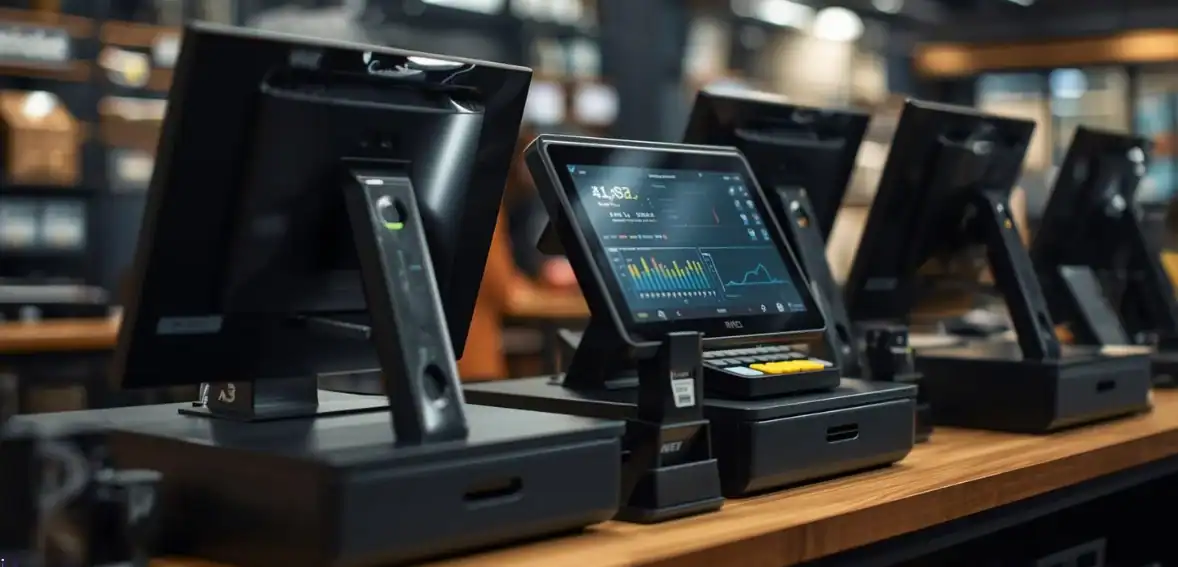
A POS system is not just a register. It is the central system connecting your payment devices, processors, compliance tools, reporting software, and store network. When you upgrade your POS, you are changing part of that ecosystem. Even small changes can affect payment functionality if dependencies are not identified beforehand.
EBT payments require a stricter configuration than standard debit or credit cards. These transactions must pass through certified processors, use approved PIN entry devices, and maintain correct store authorization credentials. If any of these elements fail to transfer correctly during a migration, the POS may function normally while EBT transactions fail in the background.
This is why merchants should treat POS upgrades as operational projects rather than simple installations. Preparation significantly reduces the risk of disruptions.
Some common configuration risks merchants often overlook include:
Configuration Risks Businesses Often Overlook
- Payment processor credentials may need to be re-authenticated.
- Terminal identification numbers may not automatically transfer.
- SNAP routing connections may require revalidation.
- Hardware drivers may not match new software.
- Product eligibility databases may need resynchronizing
- Network permissions may block processor communication.
Understanding these risks allows businesses to prevent them rather than reacting after problems appear.
Understanding How EBT Connects to Your POS System
To protect your system during migration, it is important to understand how EBT works behind the scenes. Many merchants see only the payment button, but the transaction itself involves several steps.
When an EBT card is used, your POS communicates with a certified processor. That processor verifies the card balance, confirms eligible food items, validates store authorization, and returns approval or denial. Each step depends on proper configuration.
Because multiple components work together, a disruption in any one area can interrupt payments even if the POS appears functional.
A typical EBT payment environment includes the following:
Core Components of an EBT Payment Setup
- POS payment software configuration
- Gateway connection to payment processors
- Certified EBT processor approval
- Secure PIN entry hardware
- SNAP eligible product category mapping
- Store authorization credentials
- Network communication permissions
Knowing these dependencies helps merchants plan safer migrations.
Creating a POS Migration Plan Before Starting Your Upgrade
POS upgrades should never begin without documentation. Businesses that skip this step often struggle to restore missing configurations later. Creating a simple migration checklist before upgrading reduces uncertainty and speeds up troubleshooting if needed.
Merchants should begin by documenting their current payment environment. This process does not need to be technical. Even a basic list of providers, devices, and software versions can be extremely helpful.
Important details to document include:
Information You Should Document First
- Current POS provider information
- Payment processor details
- EBT processor support contacts
- Terminal serial numbers
- SNAP authorization identification
- POS software version
- Network configuration details
- Hardware models
- Receipt configuration settings
This documentation acts as a recovery reference if anything must be restored.

How to Protect Your EBT Configuration during POS Migration
Protecting your EBT configuration begins with preparation. The safest migrations always start with backups. Merchants should request configuration exports from their POS provider and also maintain their own records of key settings.
Another important strategy is timing. Scheduling migrations during slower business hours reduces operational risk. Keeping the old system available until testing is complete also provides a safety net.
Some best practices that reduce migration risks include:
Best Practices That Prevent EBT Disruption
- Exporting POS configuration backups before upgrades
- Saving processor support contact information
- Verifying EBT compatibility with new hardware
- Scheduling upgrades during non-peak hours
- Keeping old POS equipment available temporarily
- Running test transactions before full deployment
Simple preparation often prevents the majority of migration issues.
Choosing EBT-Compatible POS Hardware
Hardware compatibility is another critical factor. Not all payment devices that accept debit cards are approved for EBT use. EBT devices must meet security requirements, including encrypted PIN entry and processor certification.
Merchants should confirm device approval before purchasing equipment rather than discovering compatibility issues after installation.
Hardware Features Required for EBT Acceptance
- PCI-compliant card readers
- Encrypted PIN-entry devices
- EMV chip compatibility
- Certified firmware approval
- Processor compatibility verification
- Software update support
Verifying these requirements early prevents costly replacements later.
Testing EBT Transactions Before Going Live
Testing is the most important part of any POS migration. Businesses should never fully switch systems without confirming that EBT payments work correctly across different scenarios.
Proper testing involves more than one purchase. It should simulate real customer situations to confirm reliability.
Important transaction types to test include:
Transactions Every Merchant Should Test
- SNAP-eligible purchases
- Split payment transactions
- Balance inquiries
- Refund processing
- Voided transactions
- Declined transactions
Testing ensures the system performs correctly under normal and exception scenarios.
Training Employees after Your POS Upgrade
Employees play a major role in successful POS transitions. Even minor interface changes can slow checkout if staff are unfamiliar with the new process. Training employees before launch reduces confusion and improves customer experience.
Training should focus on practical transaction scenarios rather than technical explanations. Employees should know how to process payments, handle errors, and respond to customer questions.
Topics Employees Should Understand
- Selecting EBT as a payment method
- Processing split tender transactions
- Identifying eligible SNAP items
- Handling declined transactions
- Processing refunds correctly
Well-trained employees help ensure smooth operations after migration.
Avoiding Compliance Mistakes during System Upgrades
Maintaining compliance is essential when upgrading POS systems. EBT acceptance requires merchants to maintain approved devices, accurate records, and secure transaction processing environments.
Businesses should always confirm their compliance status after upgrades. Even unintentional changes can affect certification status.
Compliance Areas to Verify after Migration
- SNAP authorization status
- Processor certification approval
- Device encryption compliance
- Receipt information requirements
- Transaction record accuracy
Verification protects continued payment acceptance.
Conclusion
A POS upgrade should strengthen your business operations, not create payment uncertainty. Merchants that succeed with upgrades are those that prepare in advance, document their systems, test thoroughly, and train their teams. These steps may seem simple, but they prevent most migration failures.
EBT payments are too important to risk through rushed upgrades. With careful planning and proper testing, businesses can upgrade confidently while continuing to serve their customers without interruption. A structured migration approach ensures your technology improvements truly support your long-term business growth.
FAQs
Can I upgrade my POS system without affecting EBT payments?
Yes, businesses can upgrade safely if they back up configurations, coordinate with processors, and complete transaction testing before full deployment. Most disruptions happen when upgrades are rushed without preparation.
How long does a typical POS migration take?
The timeline depends on system complexity. Small businesses may complete upgrades within a day, while larger environments may take several days, including testing. Planning always reduces delays.
Will I need new hardware to continue accepting EBT?
Not always. If your existing hardware meets current compliance requirements, it may continue working. However, some upgrades require certified devices, so merchants should always verify compatibility.
What is the biggest mistake merchants make during POS upgrades?
The most common mistake is failing to document existing configurations before upgrading. Without documentation, restoring missing settings becomes much more difficult.
Should I keep my old POS system after upgrading?
Yes. Keeping your old system available until testing is fully complete provides a backup option if unexpected issues occur. This reduces operational risk during the transition.