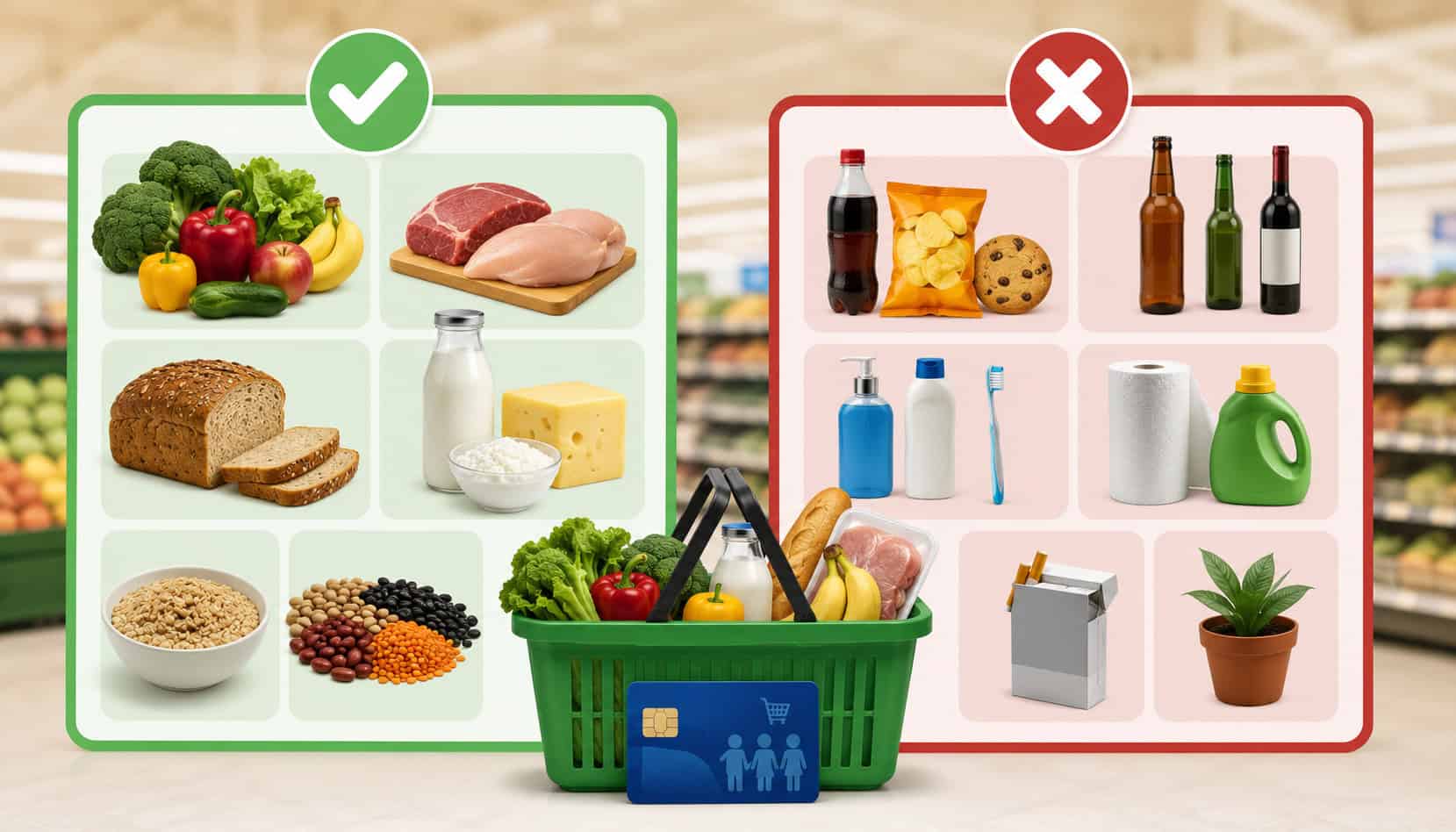
Understanding SNAP Eligible and Non-Eligible Products is essential for any merchant that accepts EBT payments. When product eligibility is set up correctly, checkout is faster, customers feel respected, and cashiers can complete transactions with fewer errors.
For grocery retailers, convenience stores, market operators, specialty food sellers, store managers, and cashiers, SNAP product rules affect daily operations. The same basket may include EBT eligible groceries, SNAP restricted items, taxable non-food goods, hot prepared foods, and items that require another payment method.
SNAP benefits are designed for approved food items for household use. Official guidance lists eligible foods such as fruits, vegetables, meat, poultry, fish, dairy products, breads, cereals, snack foods, non-alcoholic beverages, and seeds or plants that produce food.
It also lists ineligible items such as alcohol, tobacco, supplements, hot foods at the point of sale, and non-food items like pet food, cleaning supplies, hygiene items, and cosmetics.
For merchants, the practical challenge is not just knowing the rule. It is applying the rule at the item level, inside the POS system, at the scale, at the deli counter, and during mixed tender checkout.
What Are SNAP Eligible and Non-Eligible Products?
SNAP Eligible and Non-Eligible Products are items that either can or cannot be purchased with SNAP benefits. In general, SNAP eligible products are food products intended for household consumption.
SNAP non-eligible products are items that fall outside the program’s food-use purpose, including many non-food goods, hot prepared foods, alcohol, tobacco, vitamins, medicines, and supplements.
For merchants, this means product eligibility must be decided at the item level. A loaf of bread may be eligible. A bottle of detergent is not. A cold packaged sandwich may require careful review based on how it is sold, while a hot ready-to-eat sandwich is generally not eligible.
A beverage with a Nutrition Facts label may be treated differently from a product with a Supplement Facts label, because official retailer guidance says not to accept SNAP benefits for products with Supplement Facts labels.
This distinction matters because SNAP checkout rules are enforced through the POS transaction. The customer uses an EBT card and PIN, and eligible items are deducted from the customer’s SNAP account.
Official retailer guidance explains that EBT operates like a debit card at authorized stores, with the clerk entering the food purchase amount and the transaction being electronically recorded.
The most reliable approach is to organize products into clear categories:
- SNAP approved food items
- SNAP EBT eligible items
- SNAP restricted items
- Non-food products
- Hot prepared foods
- Supplements and medicines
- Mixed baskets requiring split payment
Why Product Eligibility Matters for Merchants
Product eligibility affects checkout accuracy, customer service, compliance, tax handling, refunds, and cashier confidence. When SNAP merchant product eligibility is configured correctly, the POS system can separate eligible and non-eligible items automatically.
When it is wrong, the register may decline items, overcharge customers, apply the wrong tender, or require manual intervention.
Incorrect setup can create several problems. Customers may feel embarrassed if an item is unexpectedly declined. Cashiers may not know whether to remove the item, request another payment method, or call a manager. Store managers may see recurring voids, refunds, overrides, and complaints. Over time, repeated errors can create compliance risk.
Official retailer materials place responsibility on the store to ensure systems are programmed correctly. Retailer guidance specifically notes that stores using integrated cash register systems should make sure product codes are programmed to accept SNAP benefits only for allowable items, and that owners are responsible for training employees.
For merchants, accurate setup supports:
- Faster checkout lines
- Better customer experience
- Fewer declined purchases
- Cleaner receipts
- More accurate tax handling
- Stronger audit trails
- Easier cashier training
- Reduced manager overrides
- Better inventory and category control
Product eligibility also matters for online ordering, curbside pickup, and mixed baskets. A customer may buy milk, chips, shampoo, paper towels, and a hot deli meal in one order. The system must know which portion can be paid with SNAP, which portion requires another payment method, and which fees or non-food items cannot be charged to SNAP.
For stores improving item-level setup, this guide on managing SNAP-eligible item files provides useful operational context for UPC, PLU, scale, and POS maintenance.
SNAP Eligible Products: What Customers Can Buy
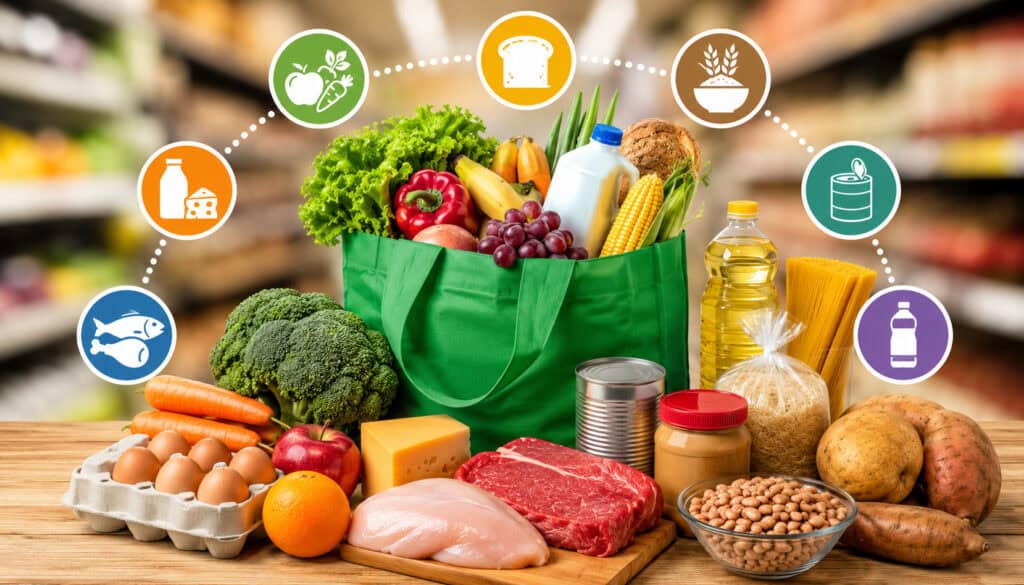
SNAP eligible products generally include food for household use. This includes staple foods, pantry goods, packaged foods, snacks, non-alcoholic beverages, and certain seeds and plants that produce food.
Official guidance lists fruits and vegetables, meat, poultry, fish, dairy products, breads and cereals, snack foods, non-alcoholic beverages, and seeds or plants that produce food for the household to eat.
For merchants, the important point is that eligibility is not limited to only “healthy” foods or only basic staples. Many packaged foods, frozen items, bakery items, snacks, and non-alcoholic drinks may qualify if they are food products intended for home consumption and do not fall into a restricted category.
| Product Category | Examples | SNAP Eligibility Notes |
| Fruits and vegetables | Fresh apples, frozen berries, canned tomatoes, salad greens | Generally eligible when sold as food for household use |
| Meat, poultry, and fish | Chicken, ground beef, pork, canned tuna, frozen fish | Generally eligible when not hot or prepared for immediate consumption |
| Dairy products | Milk, cheese, yogurt, butter | Generally eligible as household food |
| Breads and cereals | Bread, tortillas, rice, pasta, oatmeal, cereal | Generally eligible staple foods |
| Pantry foods | Flour, cooking oil, sauces, canned beans, peanut butter | Usually eligible when intended for home preparation |
| Snacks | Chips, crackers, cookies, ice cream | Often eligible if sold as packaged food for home consumption |
| Non-alcoholic beverages | Juice, bottled water, soft drinks, coffee, tea | Often eligible if sold as food or drink and not labeled as a supplement |
| Seeds and food-producing plants | Tomato plants, herb seeds, vegetable seeds | Eligible when used to grow food for the household |
| Cold packaged foods | Some cold sandwiches, packaged salads, take-home meals | Requires careful setup; hot or immediate-consumption foods are generally restricted |
| Baby food and formula | Infant formula, baby cereal, baby food jars | Generally eligible as food products |
Staple Foods and Grocery Items
Staple foods and grocery items make up the foundation of SNAP approved food items. These include fruits, vegetables, meat, poultry, fish, dairy products, breads, cereals, rice, pasta, beans, eggs, flour, cooking oil, and other pantry products. For most grocery retailers, these are the core SNAP grocery items that customers expect to purchase with EBT.
From a merchant perspective, staple foods should be mapped carefully in the POS system. Packaged items usually rely on UPCs, while produce often relies on PLUs. Meat, cheese, and deli items may also involve scales, printed labels, variable weights, and department-level settings.
The biggest operational risk is assuming that every item in a staple department is automatically eligible. For example, a dairy section may include milk and yogurt, but it may also include supplements or non-food refrigerated products. A meat department may sell raw meat that is eligible, while a hot prepared meat item is generally not eligible.
Good inventory control helps avoid these errors. When adding a new product, confirm its label, intended use, temperature at sale, and department mapping before marking it as SNAP eligible.
Snacks, Beverages, and Packaged Foods
Many snacks, beverages, and packaged foods can be SNAP EBT eligible items when they are sold as food for household consumption. Examples may include chips, crackers, cookies, cereal bars, frozen desserts, bottled water, juice, coffee, tea, soft drinks, and packaged pantry snacks.
The key is not whether the item is a “meal.” The key is whether it is an eligible food or drink and not a restricted product. Official guidance includes snack foods and non-alcoholic beverages among foods households can buy with SNAP.
However, this category requires extra attention. Energy drinks, protein shakes, meal replacement drinks, and wellness products can be confusing. Some are conventional food or beverage products with Nutrition Facts labels. Others are supplements with Supplement Facts labels and should not be accepted for SNAP.
Merchants should create a review workflow for new packaged beverages and nutrition products. Cashiers should not be expected to interpret every label at the register during a busy line. The POS should already be configured so the correct tender is applied automatically.
Seeds and Plants for Food Production
Seeds and plants that produce food for the household can be SNAP eligible products. This category matters for grocery stores, farmers markets, garden centers attached to food retailers, specialty food sellers, and seasonal market operators.
Eligible examples may include vegetable seeds, fruit-producing plants, tomato plants, pepper plants, herb seeds, and other food-producing plants. The reason is simple: the item is used to grow food that the household can eat.
Merchants should categorize these products carefully because not all garden items qualify. A tomato plant may be eligible, but potting soil, fertilizer, garden tools, decorative flowers, and planters are generally not food items. If the store sells both food-producing plants and non-food garden supplies, the POS must separate them clearly.
Seasonal displays can create risk because products may be added quickly. A spring display might include vegetable seeds, flower seeds, gloves, soil, and watering cans in the same area. Customers may assume the entire display is EBT approved, but only the food-producing seeds or plants may qualify.
SNAP Non-Eligible Products: What Customers Cannot Buy
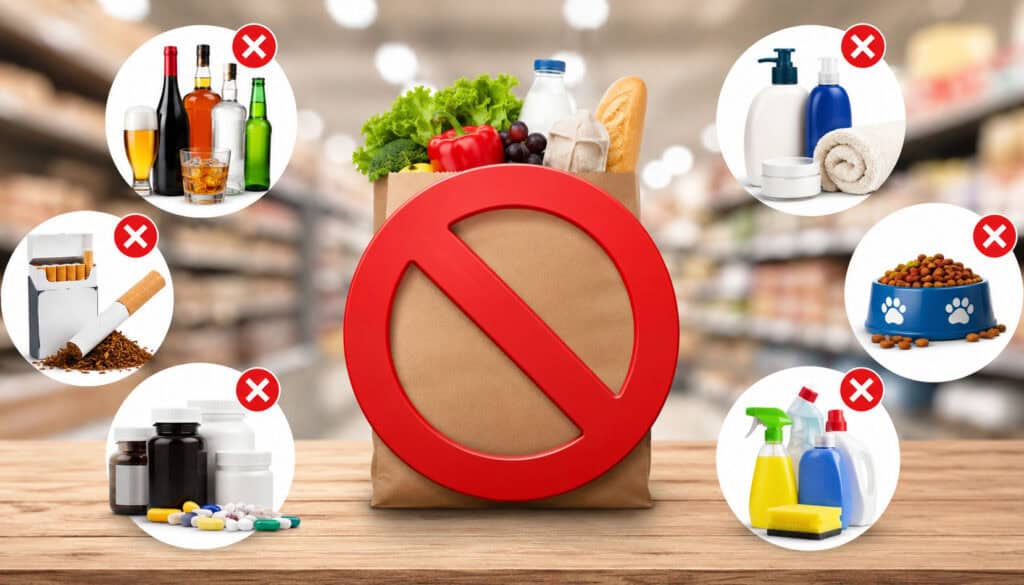
SNAP non-eligible products include items that are outside the approved food purpose of the program. Official guidance says SNAP benefits cannot be used to buy beer, wine, liquor, cigarettes, tobacco, food and drinks containing controlled substances, vitamins, medicines, supplements, live animals except limited cases, hot foods at the point of sale, or non-food items such as pet foods, cleaning supplies, household supplies, hygiene items, and cosmetics.
For merchants, the challenge is that many ineligible items sit near eligible foods. A convenience store may sell snacks beside tobacco. A grocery aisle may contain baking ingredients beside paper plates. A checkout lane may include candy, medicine, batteries, and magazines. A deli may sell cold take-home food and hot ready-to-eat food from the same counter.
SNAP restricted items should be clearly separated in POS logic. Visual store layout can help, but it is not enough. The register must identify the item correctly at scan, weigh, or manual entry.
Common SNAP restricted items include:
- Alcoholic beverages
- Cigarettes, cigars, tobacco, and vape-related products
- Hot foods at the point of sale
- Foods intended for on-premises consumption
- Vitamins, medicines, and supplements
- Pet food
- Cleaning supplies
- Paper goods
- Household supplies
- Cosmetics
- Hygiene products
- Baby bottles, diapers, and wipes
- Phone cards, fuel, and other non-food products
Alcohol, Tobacco, and Restricted Products
Alcohol, tobacco, and similar restricted products are not SNAP eligible. This includes beer, wine, liquor, cigarettes, cigars, and tobacco products. Vape products and other age-restricted or controlled products should also be treated as restricted for SNAP purposes.
These items are usually easy to identify, but checkout mistakes can still happen if departments are mapped too broadly. For example, a convenience store may have one “beverage” department that includes water, soda, beer, and alcoholic seltzers. If that entire department is accidentally marked as eligible, the store could process restricted products incorrectly.
The safer approach is item-level eligibility. Alcohol should have separate product codes, separate departments, and clear age-restricted prompts. Tobacco should be completely separated from food categories.
Cashiers should understand that customer need, urgency, or lack of another payment method does not make restricted products eligible.
Official retailer guidance tells stores not to accept SNAP benefits for non-food items, hot foods, alcoholic beverages, cigarettes, tobacco products, vitamins, medicine, and other restricted goods.
Hot Prepared Foods and Ready-to-Eat Meals
Hot foods at the point of sale are generally SNAP non-eligible products. This is one of the most important rules for delis, bakeries, convenience stores, grab-and-go counters, and prepared food departments.
Examples may include hot pizza slices, hot rotisserie chicken, hot soup, hot sandwiches, hot breakfast items, and hot ready-to-eat meals. The issue is not only the ingredient. It is how the item is sold. A cold packaged food intended for home consumption may be treated differently from the same item heated and sold for immediate consumption.
This is why hot and cold prepared foods need separate PLUs or UPCs. A single “deli sandwich” button can create errors if the item may be sold cold or heated. A hot rotisserie chicken and a cold take-home chicken should not share the same eligibility code.
For more detail on prepared food operations, merchants may find this resource on hot foods and prepared foods SNAP rules helpful.
Household, Personal Care, and Non-Food Items
Household, personal care, and non-food items are generally not SNAP eligible. This includes cleaning supplies, laundry detergent, paper towels, napkins, toilet paper, pet food, cosmetics, soap, shampoo, toothpaste, deodorant, diapers, wipes, medicine, vitamins, and many wellness products.
These items often create customer confusion because they may be basic household necessities. However, SNAP food rules focus on eligible food items, not general household needs. Cashiers should handle these situations professionally and avoid judgment. The right response is to explain that the item requires another payment method.
POS setup should make this automatic. If a cart includes milk, bread, dog food, shampoo, and paper towels, the register should apply SNAP only to eligible food items and request another tender for the rest.
Stores should also be careful with baby categories. Baby food and formula may be eligible, while diapers, wipes, bottles, and other non-food baby products are not. If these products are grouped under one “baby” department, item-level mapping is especially important.
How SNAP Eligibility Works at Checkout
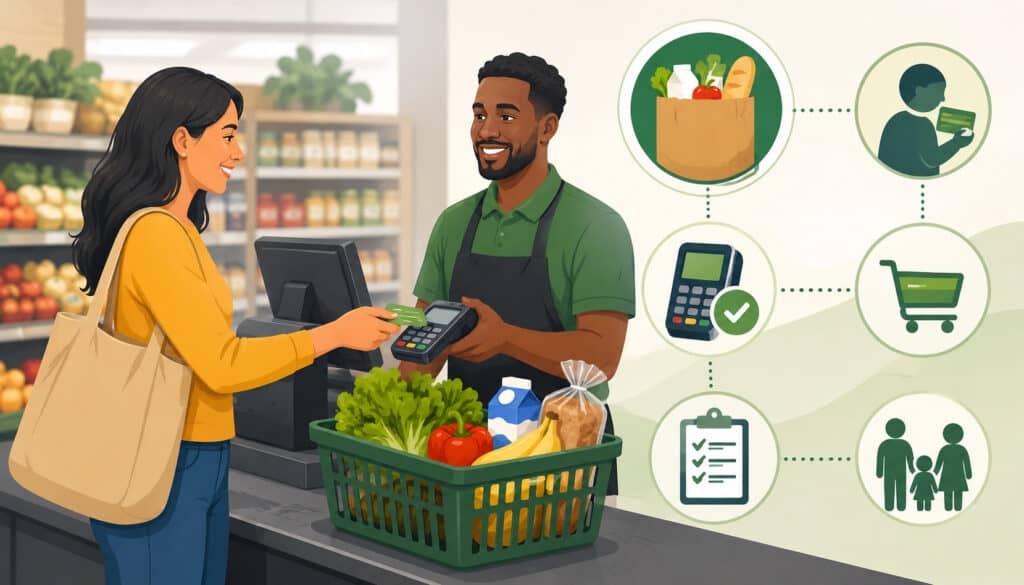
At checkout, SNAP eligibility is applied through the EBT transaction. The customer presents an EBT card, uses a PIN, and the system processes eligible items against the customer’s SNAP balance.
Official guidance explains that the EBT card works like a debit card at authorized stores and that the customer enters a four-digit PIN at the POS.
A smooth checkout depends on three things: accurate item eligibility, cashier training, and proper split tender handling. When a basket contains only SNAP approved food items, the transaction is usually straightforward. When the basket contains eligible and non-eligible items, the system should separate the totals.
A typical mixed basket may include:
- Eligible groceries paid with SNAP
- Non-food items paid with debit, credit, or cash
- Hot foods excluded from SNAP
- Tax applied only where appropriate
- Receipts showing tender and remaining balance details
Cashiers should know how to respond when an EBT payment does not cover the full order. The issue may be a non-eligible item, insufficient balance, a PIN issue, or a terminal problem. The cashier should explain the next step, not guess.
Good SNAP checkout rules include:
- Confirm the customer wants to use EBT
- Allow the POS to calculate eligible items
- Let the customer enter the PIN privately
- Use split tender when required
- Avoid manually forcing restricted items through SNAP
- Provide a receipt
- Call a manager for unusual errors
- Never exchange SNAP benefits for cash
Mixed baskets are common, especially in convenience stores and small markets. Merchants can review this guide on mixed basket EBT transactions for more operational detail.
How Merchants Should Categorize SNAP Products
Merchants should categorize SNAP products through a structured product setup process. The goal is to make eligibility automatic at checkout, not dependent on cashier judgment. This requires accurate UPCs, PLUs, departments, scale labels, item files, and POS rules.
Start with item-level eligibility wherever possible. Broad department-level rules can be risky because departments often contain both eligible and non-eligible items.
For example, a “health” department may include eligible food products and ineligible supplements. A “beverage” department may include juice, water, alcohol, and supplement drinks. A “deli” department may include cold packaged foods and hot ready-to-eat meals.
A strong categorization process should include:
- Product name
- UPC or PLU
- Department
- Tax status
- SNAP eligibility flag
- Hot/cold status when relevant
- Nutrition Facts or Supplement Facts review
- Scale integration
- Online ordering eligibility
- Refund and void handling
- Manager approval for high-risk categories
Inventory updates should also include eligibility review. New products, seasonal items, vendor file changes, private-label items, and deli menu changes can all introduce errors. The same is true when a store upgrades POS software or changes processors.
Official retailer training guidance encourages retailers to review rules with owners and employees and covers topics such as eligible food, sales tax, coupons, and POS equipment.
Avoiding Misclassified Products
Misclassified products are one of the most common causes of SNAP checkout errors. A misclassification happens when an eligible item is marked as ineligible, or when a non-eligible item is marked as eligible. Both create problems.
If an eligible item is marked incorrectly, customers may experience unnecessary declined purchases. This can slow the line, frustrate the shopper, and force cashiers to call a manager. If a non-eligible item is marked as eligible, the store may create compliance risk.
Common misclassification issues include:
- Energy drinks with Supplement Facts labels marked eligible
- Hot deli foods sharing codes with cold deli foods
- Pet food grouped with grocery items
- Paper goods included in general merchandise categories
- Prepared foods mapped too broadly
- Supplements placed in food departments
- Seasonal items added without review
- Scale labels not syncing with POS settings
The best prevention method is a recurring audit. Review transaction exceptions, refunds, voids, cashier overrides, and customer complaints. These reports often reveal item-level problems that are easy to fix once identified.
Training Cashiers on SNAP Rules
Cashier training is essential because even a well-configured POS system cannot prevent every customer question or checkout issue. Cashiers should understand the difference between eligible food items, SNAP restricted items, split tender payments, declined items, balance issues, and receipt explanations.
Training should focus on real checkout scenarios. For example, what should a cashier do if a customer’s basket includes cereal, soda, vitamins, dog food, and hot chicken? What should they say if the customer asks why one item did not process? What should they do if a product appears to be incorrectly classified?
Cashiers should not argue with customers or make personal comments about purchases. They should explain that the system separates eligible and non-eligible items based on program rules and that another payment method may be used for the remaining balance.
For staff development, this guide on EBT cashier training can support register-level procedures and customer interaction standards.
Common SNAP Product Eligibility Mistakes
Many SNAP product eligibility mistakes come from assuming the rules are simpler than they are. A store may think, “We sell groceries, so everything in grocery is eligible.” In reality, SNAP merchant product eligibility requires attention to product type, label, temperature, intended use, and category.
One common mistake is marking all grocery items as eligible. This can accidentally include supplements, medicines, paper goods, pet food, and other non-food items. Another mistake is failing to separate hot prepared food from cold take-home food. This is especially risky in deli, bakery, and grab-and-go environments.
Merchants also sometimes ignore mixed baskets. If the POS cannot split eligible and non-eligible items properly, cashiers may need to re-ring orders, remove items, or ask customers to separate baskets manually. That creates longer lines and inconsistent service.
Other common mistakes include:
- Treating all beverages as eligible
- Missing Supplement Facts labels
- Using one PLU for hot and cold prepared foods
- Forgetting to update scale labels
- Not reviewing seasonal products
- Allowing manual overrides without manager review
- Failing to train new cashiers
- Not documenting product eligibility decisions
- Assuming online checkout rules are the same as in-store settings
- Not auditing returns, voids, and refunds
Best Practices for SNAP Compliance and Customer Experience
Strong SNAP compliance for merchants starts with consistent systems. The goal is to make the correct transaction easy for the cashier and clear for the customer. When eligibility is built into product data, checkout becomes smoother and more reliable.
Start by reviewing your product categories. Separate staple foods, packaged foods, cold prepared foods, hot prepared foods, supplements, alcohol, tobacco, household goods, and personal care products. Then confirm that each item has the correct UPC, PLU, department, tax status, and SNAP eligibility flag.
Next, train staff with practical examples. A cashier should understand that SNAP may cover eligible food items but not restricted products. They should also know how to handle split payments, declined items, balance inquiries, and receipts without making the customer uncomfortable.
Useful best practices include:
- Audit item files regularly
- Review high-risk categories first
- Use separate codes for hot and cold prepared foods
- Check Nutrition Facts vs. Supplement Facts labels
- Keep scale systems synced with POS data
- Train every cashier before they handle EBT transactions
- Use manager approval for eligibility overrides
- Keep receipts clear and accurate
- Review refunds and voids for patterns
- Update POS settings after product changes
- Document internal procedures for new staff
Clear signage can also help, but signage should not replace accurate POS settings. A sign may tell customers that some items require another payment method, but the register must still enforce the rule correctly.
FAQs
What products are SNAP eligible?
SNAP eligible products generally include food for household use, such as fruits, vegetables, meat, poultry, fish, dairy products, breads, cereals, pantry foods, snack foods, non-alcoholic beverages, and seeds or plants that produce food.
What products are not eligible for SNAP?
SNAP non-eligible products generally include alcohol, tobacco, hot foods at the point of sale, vitamins, medicines, supplements, pet food, cleaning supplies, paper goods, household supplies, hygiene items, cosmetics, and other non-food products.
Can SNAP be used for hot food?
Hot foods at the point of sale are generally not eligible. Merchants should use separate item codes for hot prepared foods and cold take-home foods to avoid checkout mistakes.
Are snacks and drinks SNAP eligible?
Many snacks and non-alcoholic drinks are eligible when sold as food or beverages for household use. However, products with Supplement Facts labels, alcoholic beverages, and restricted products are not eligible.
Can customers buy seeds with SNAP?
Yes. Seeds and plants that produce food for the household can be eligible. Merchants should separate food-producing seeds and plants from non-food garden supplies such as tools, soil, planters, and decorative plants.
Can SNAP pay for pet food or household items?
No. Pet food, cleaning supplies, paper products, and household goods are generally not SNAP eligible. These items require another payment method.
What happens if a cart has eligible and non-eligible items?
The POS should separate the eligible food total from the non-eligible total. The customer can pay the SNAP eligible portion with EBT and use another payment method for the remaining items.
How should merchants prevent SNAP checkout errors?
Merchants should maintain accurate UPC and PLU mapping, separate hot and cold prepared foods, review supplement labels, train cashiers, audit POS settings, and monitor refunds, voids, and declined items.
Conclusion
Understanding SNAP Eligible and Non-Eligible Products is a daily operational responsibility for merchants accepting SNAP EBT. Correct product categorization supports smooth checkout, accurate EBT payment processing, better customer service, cleaner receipts, and stronger compliance.
The best approach is simple: keep POS settings accurate, train cashiers well, review product eligibility regularly, and pay close attention to high-risk categories like hot foods, deli items, supplements, beverages, household goods, and seasonal products.
When SNAP eligible products and SNAP non-eligible products are clearly separated in the system, customers get a smoother experience and staff can process EBT transactions with confidence.